
Editing an automated message only changes what it sends from that point on. It does not reach applicants who already received it. To get a correction to applicants whose application is already Completed, send it to them again manually.
To edit the automated message, go to "Communications & Events" > "Communications", then open the "Automated Messages" tab and select the edit (pencil) icon on the message you want to change.
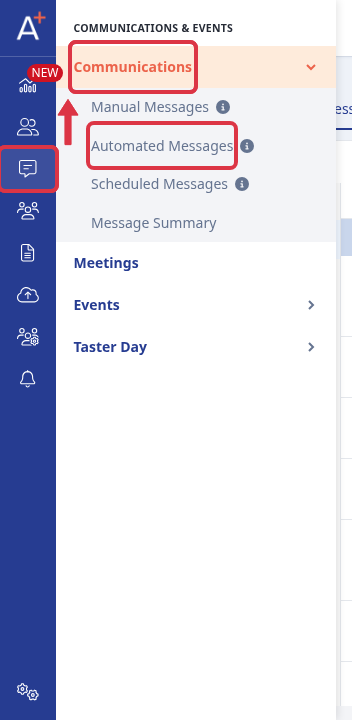

Update the content and save. This changes the wording for every application that reaches this message from now on, but it does not touch the copy already sent to earlier applicants.
To reach applicants whose application is already Completed, go to "Registered Students" > "Completed".
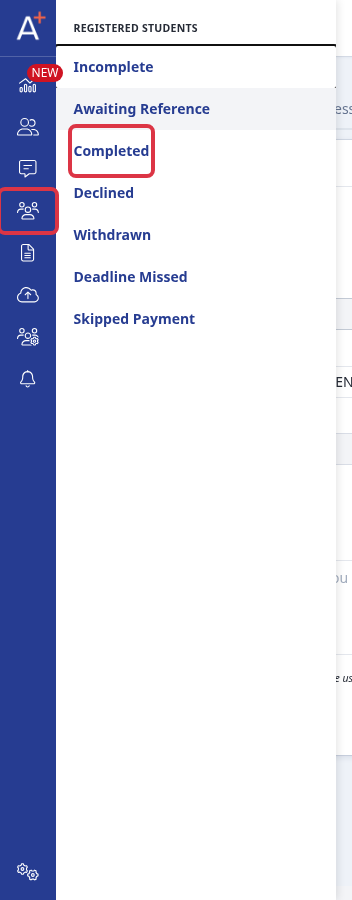
Select the applicants you want to contact, then open "Communications" and choose "Send email". This opens the "Email Processor" with your selected applicants already listed as recipients.
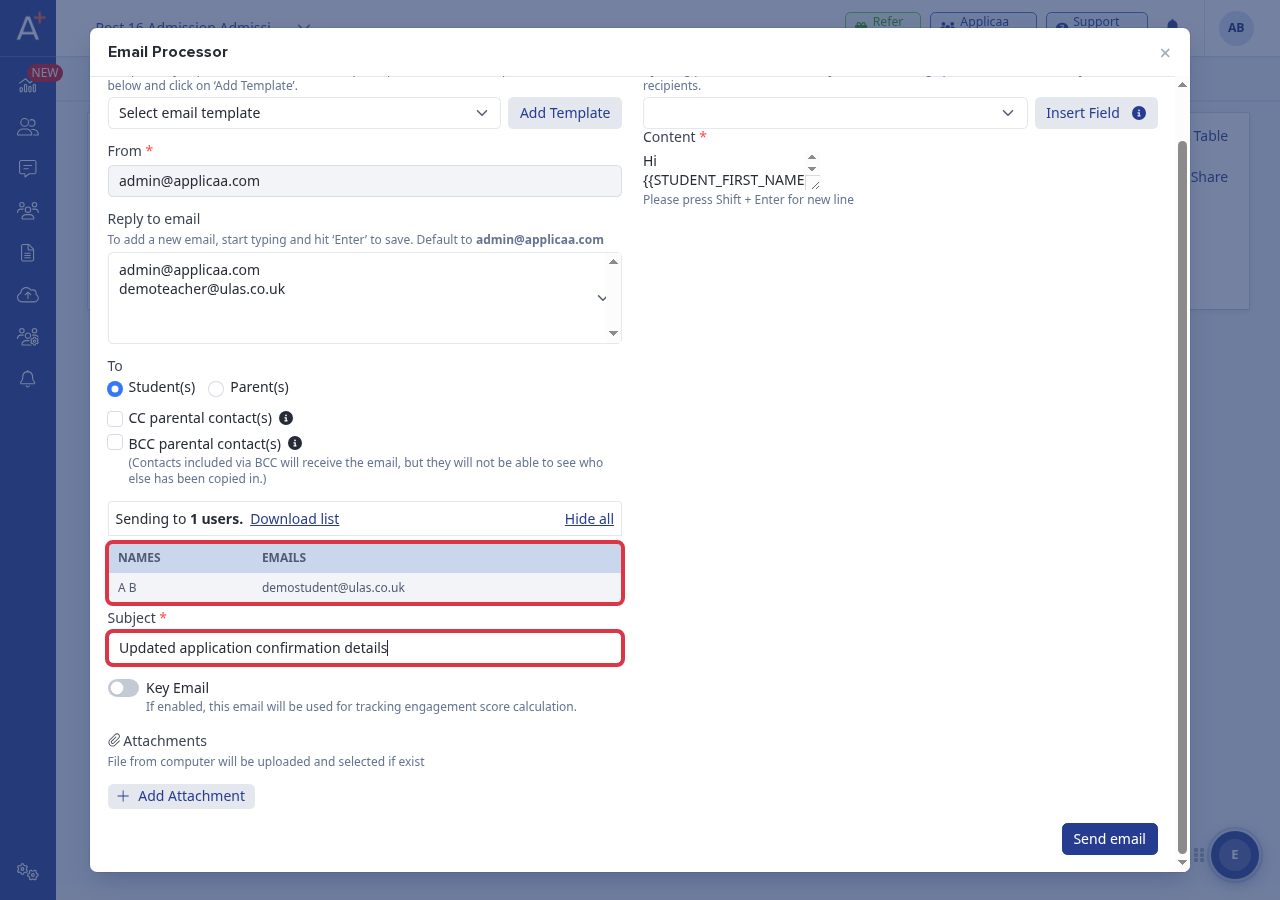
The "Import from template" list here only offers your manual (non-automated) templates. Pick a matching manual template to start from, or write the subject and content directly, then add your corrected wording and click "Send email" to send it now.
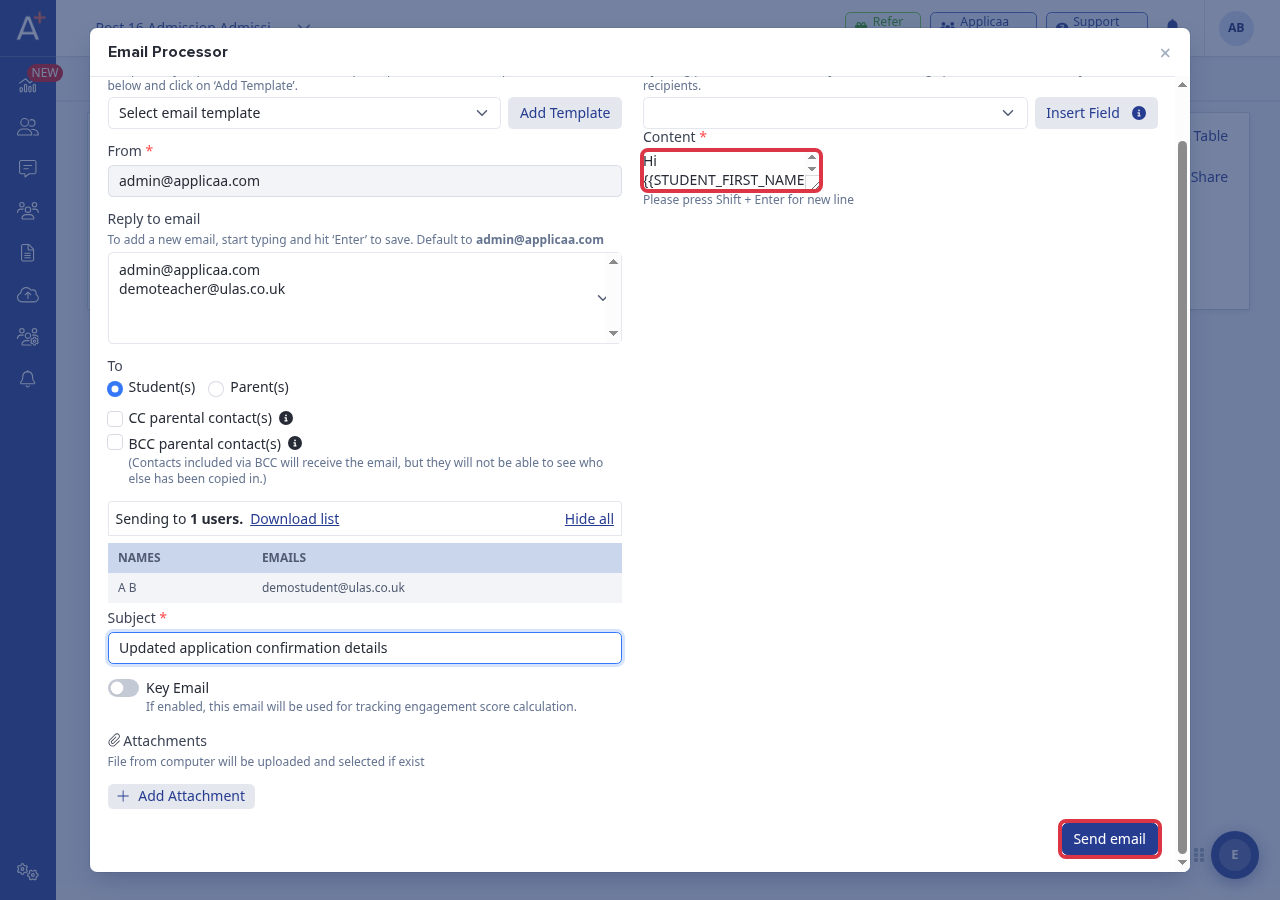
- The recipient list comes from the applicants you selected on the Completed list, not from a saved group.
- You can switch "To" between Student(s) and Parent(s), and add CC/BCC to parental contacts.
- Subject and content are free text; mail merge fields let you personalise the message per recipient.
Sending from here does not recall or overwrite the earlier automated email - it is a new, separate email to the recipients you choose.
What it does not do
- There is no "resend" action on the automated message itself - automated templates have no built-in send-now or recipient picker.
- The Completed list's "Send email" does not let you import an automated template; only manual templates are offered.
- Resending does not undo or recall the original automated email that was already delivered.
Questions staff ask
I fixed a wrong date in our automated application-confirmation email, so why are applicants who already completed still quoting the old date?
The automated email reads the template's content at the moment it sends, and it only sends once per application. Saving a new version of the template only changes what future applicants receive. For applicants already marked Completed, send the corrected wording to them separately from "Registered Students" > "Completed".
Why it behaves this way
The automated confirmation email is sent once per application and is guarded so it cannot fire a second time for the same application. Editing the template does not retroactively change mail that has already gone out, which is why a manual resend to the affected applicants is the only way to correct what they already received.