
Every parent or carer contact on a student’s record has a legal parental responsibility setting. It records whether that contact holds legal parental responsibility for the applicant. The setting is stored on each contact individually, so a student can have more than one contact who holds parental responsibility, or none at all. This article shows you where to find the setting and how to move parental responsibility from one contact to another.
On a student's profile, access the application or Admission form and go to the Parent/Carer Details step. This is where all of the student’s parent and carer contacts are managed.
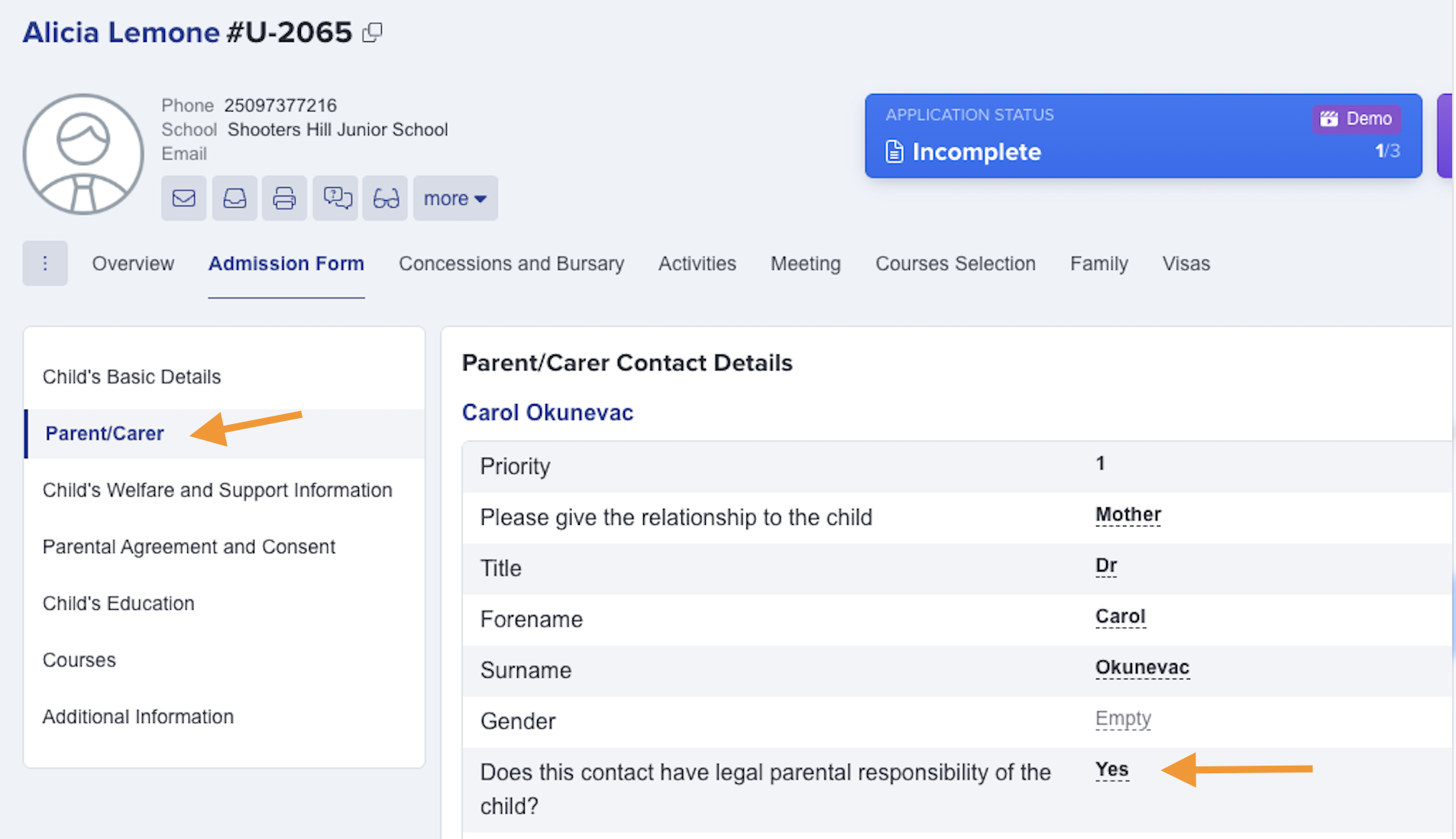
Open the contact you want to change. In the Parent/Carer Contact Details section, find the field “Does this contact have legal parental responsibility?” and set it to Yes or No, then save the contact.

To transfer parental responsibility from one contact to another, edit each contact in turn: set the contact who should no longer hold it to No, and set the contact who should now hold it to Yes. There is no single “transfer” action — parental responsibility is simply the combination of each contact’s own Yes/No setting, so update it on every contact that is changing.
What the parental responsibility setting controls
- On the contact’s information card, parental responsibility is shown as a Yes/No indicator, so you can see at a glance which contacts hold it.
- When you email a student’s contacts, you can switch on “Only include contacts where Parental Responsibility is ticked” to send only to the contacts who hold parental responsibility.
- When you add a contact to another student by importing from existing contacts, only contacts who hold parental responsibility are offered in the import list.
- If your school has enabled the related option, the Print Student button is hidden for contacts who do not hold parental responsibility.
- The setting is included in your MIS sync, so a contact’s parental responsibility is written back to your management information system (for example SIMS, Arbor, Bromcom or iSAMS).