
Free training is included with your Admissions+ subscription all year round, and every state school, academy and Multi-Academy Trust has a named Product Adoption Specialist to help you get the most from the system. This article covers what training is available, how to book onto a session, and who to ask when you need help.
To book training or get support, select "Support & Requests" in the top bar of your Admissions+ dashboard.

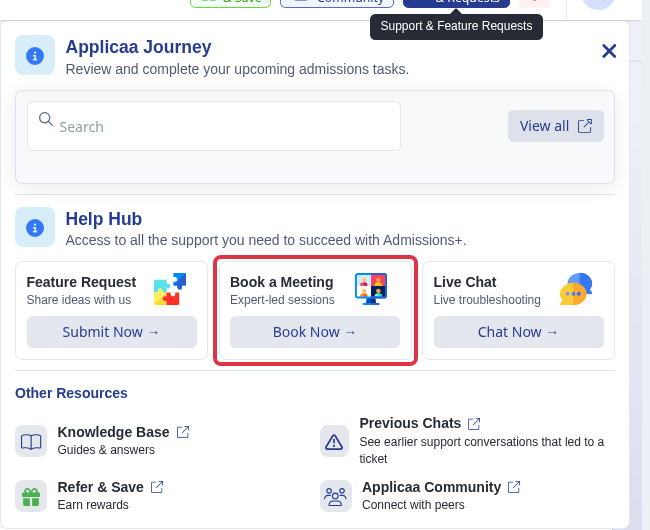
This opens the Help Hub panel. If your school is in its first cycle with Admissions+, you'll see a "Book a Meeting" card. Select "Book Now" to book a 1:1 call directly with your named Product Adoption Specialist, using a personalised booking link.
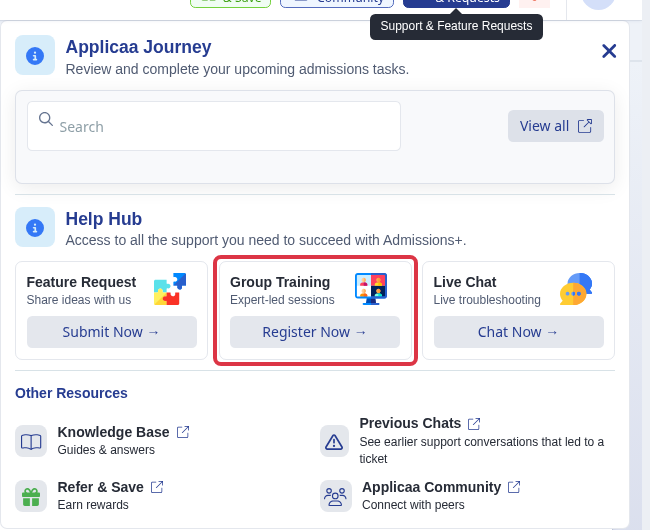
Once your school is past its first cycle, the "Book a Meeting" card is replaced with a "Group Training" card. Select "Register Now" to see the current timetable of sessions and register for the ones you want to attend.
- Onboarding: three group sessions, each offered twice a week so you can pick a convenient time, plus a 1:1 call with your Product Adoption Specialist within two weeks of joining.
- Ongoing: free group training sessions run all year round, open to every state school whatever cycle you're in.
- Both the onboarding and ongoing training are free - there's nothing to pay and nothing to upgrade to attend.
Questions staff ask
Who is my Product Adoption Specialist, and when will they contact me?
Your Product Adoption Specialist is the named contact assigned to your school. If you're in your first cycle, they'll reach out to arrange your first 1:1 call within two weeks of you joining Admissions+. You can also book a call with them yourself at any time from the Help Hub's "Book a Meeting" card.
Why has Customer Success Manager changed to Product Adoption Specialist?
This is a renaming of the same role - the person helping you adopt and get value from Admissions+. The training and support described in this article are unchanged; only the title has changed from Customer Success Manager (CSM) to Product Adoption Specialist (PAS).
Where has the "Book a Meeting" link gone in the Help Hub?
It hasn't gone - it's still in the same place, under "Support & Requests" in the top bar. Once your school moves past its first cycle, that card changes from "Book a Meeting" to "Group Training", because ongoing support moves from 1:1 calls to the free group sessions.
I have a technical problem, who do I ask?
Start with Emma: select "Live Chat" in the Help Hub to open Emma, who can answer most questions immediately. If Emma can't resolve it, your conversation is picked up by the support team - you'll find the history of these under "Previous Chats" in the Help Hub's Other Resources. For anything specific to your school's setup or account, you can also contact your Product Adoption Specialist directly.