
Use the application form editor to find questions and sections, replace a question with a different type, change the allowed order, or remove eligible custom content.
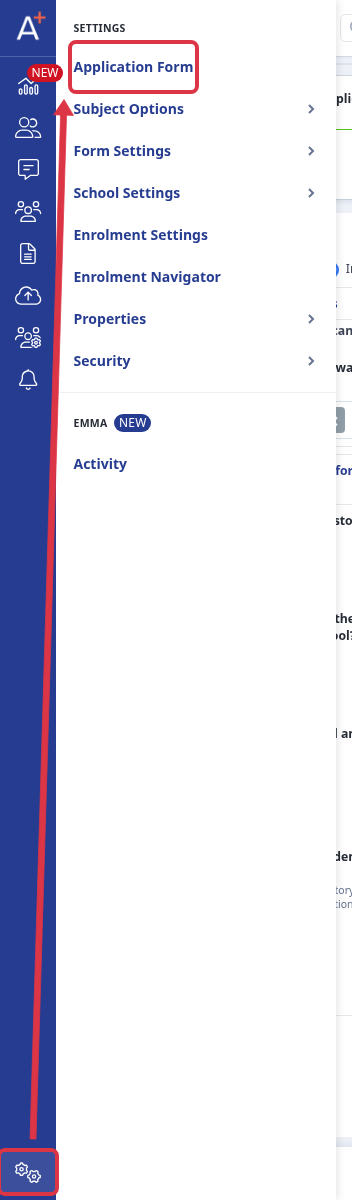
Go to "Settings" and select "Application Form".
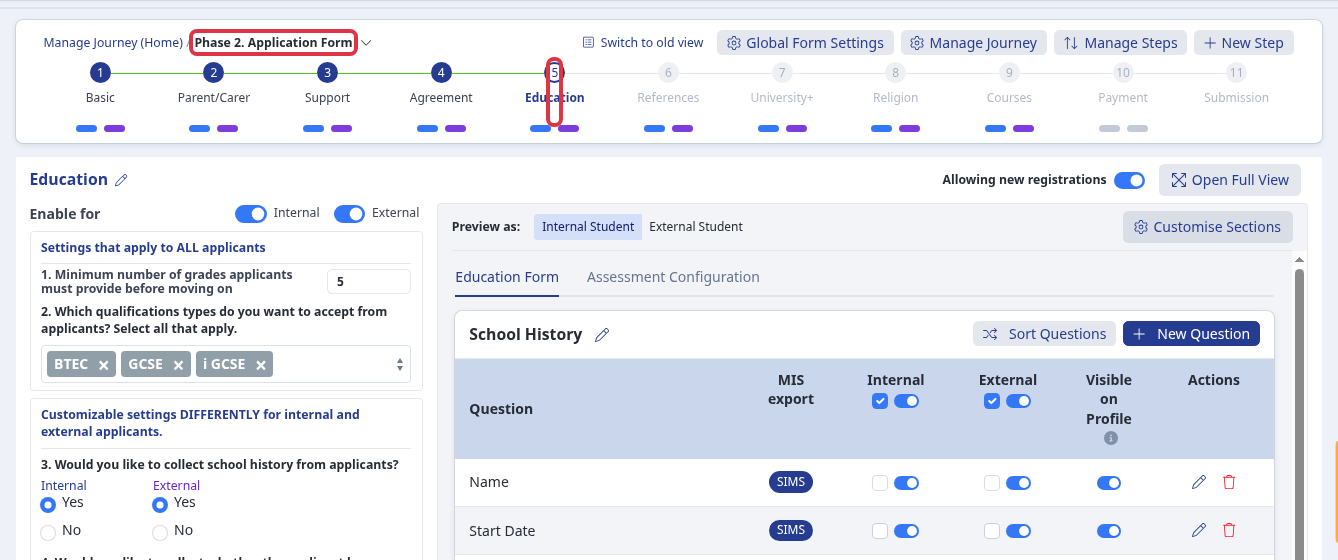
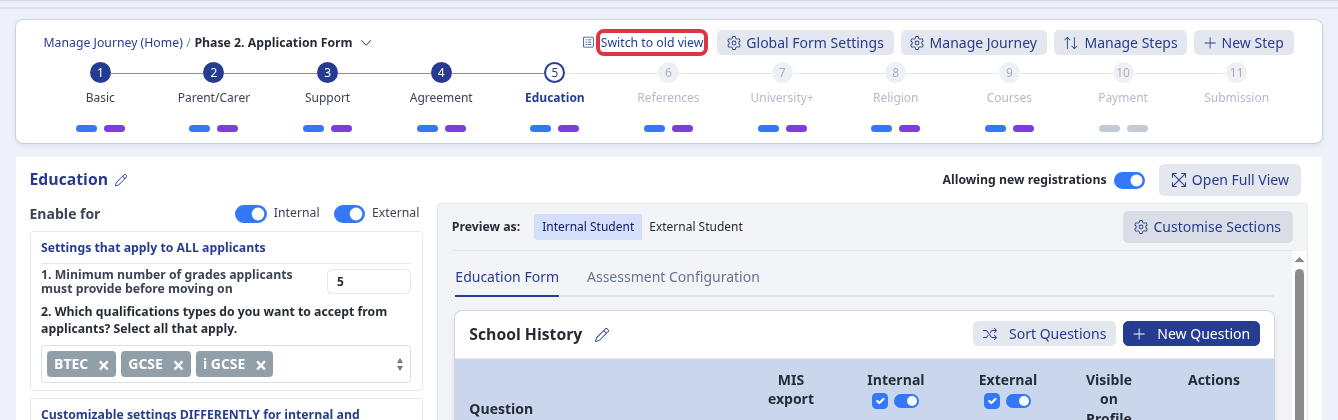
Open the form, then select the phase and step that contain the content. The section tables show the questions in that step, so you can find a question such as "Current School".
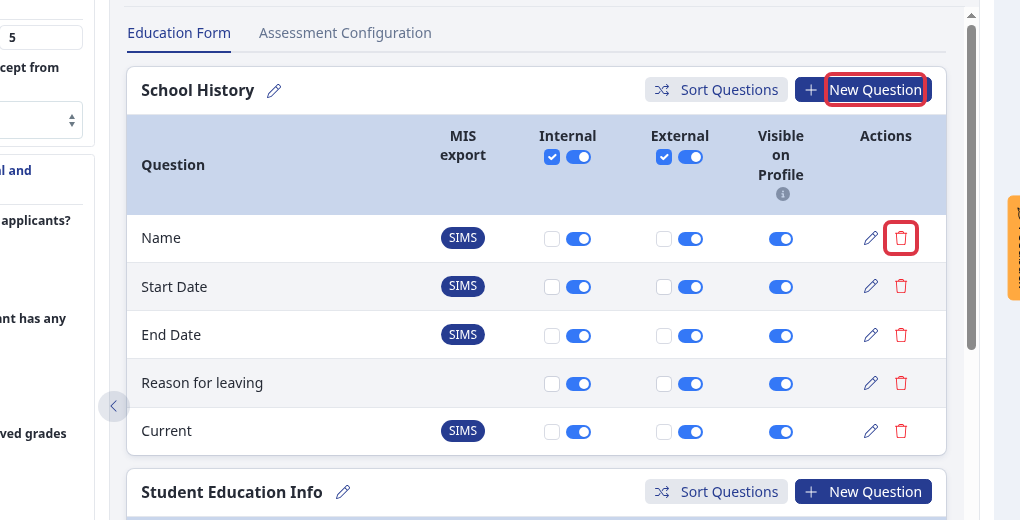
Select "I want to make more changes". To change a question from text to Yes/No, select "New Question" and create the replacement with the required type. You cannot change a question type after you create it. Check the replacement, then select the old eligible question's trash icon and confirm "Are you sure? You won't be able to revert this!" when you no longer need it.
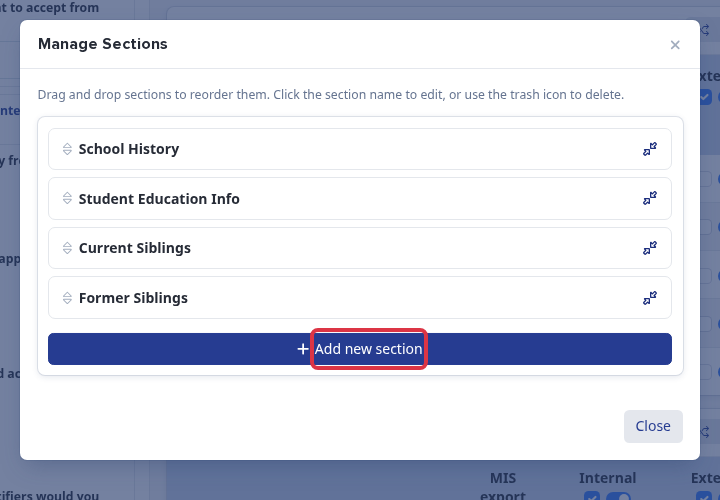
Select "Customise Sections". In "Manage Sections", drag a section card into the order you need. Select the trash icon for an eligible custom section, then confirm "Are you sure?".
To remove an eligible manually created step, select "Switch to old view", find the step, select its trash icon, and confirm "Are you sure?".
What it does not do
- You cannot move a question to another section.
- You cannot move a section to another step or phase.
- You can order questions only in their current section and sections only in their current step.
- The editor does not arrange questions or sections in alphabetical order.
- If a question, section, or step has no trash icon, you cannot delete it from this form. Built-in steps do not show the delete icon.