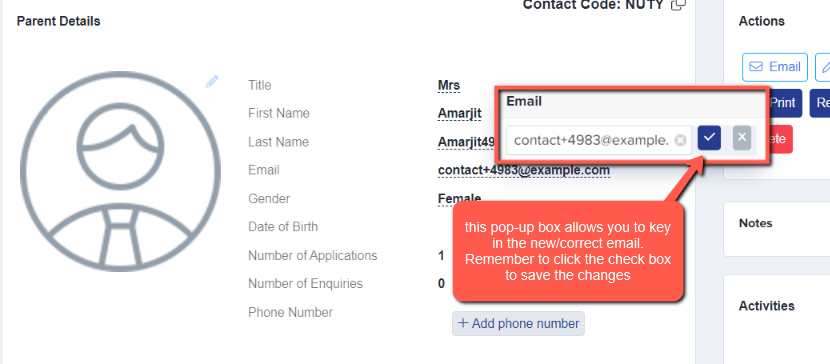
There are two ways of changing the parent's email:
First - when you're on the main dashboard you should be able to see the Parents and Enquiries icon on the left-hand side of the page (first icon on the A+ homepage).
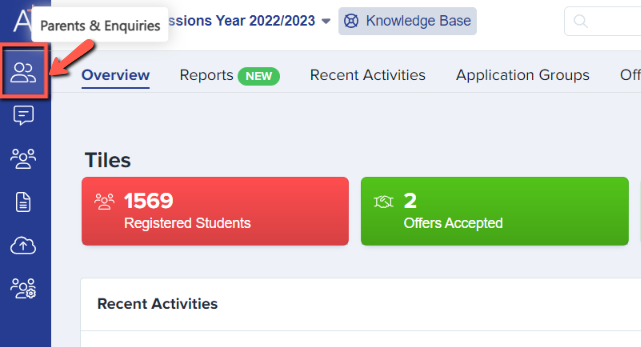
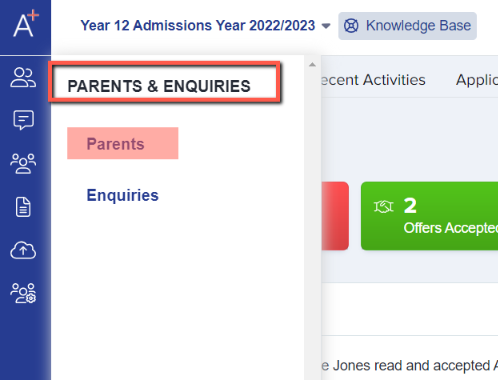
Click on that icon and it'll give you two options; kindly choose "Parents" which will show you a list of parents on a table.
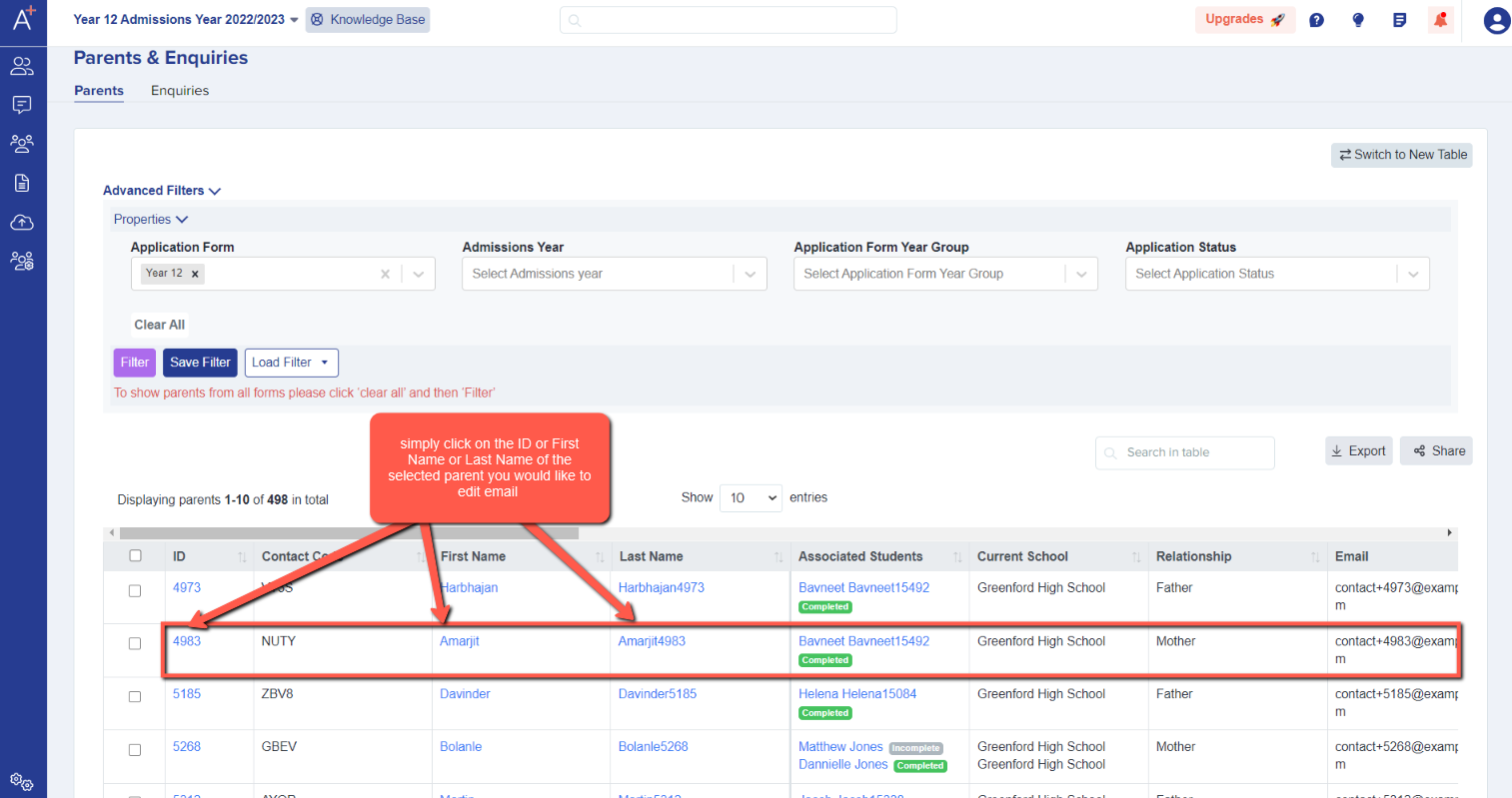
Select the parent you'd like to edit the email address for, by clicking the ID or First Name or Last Name.
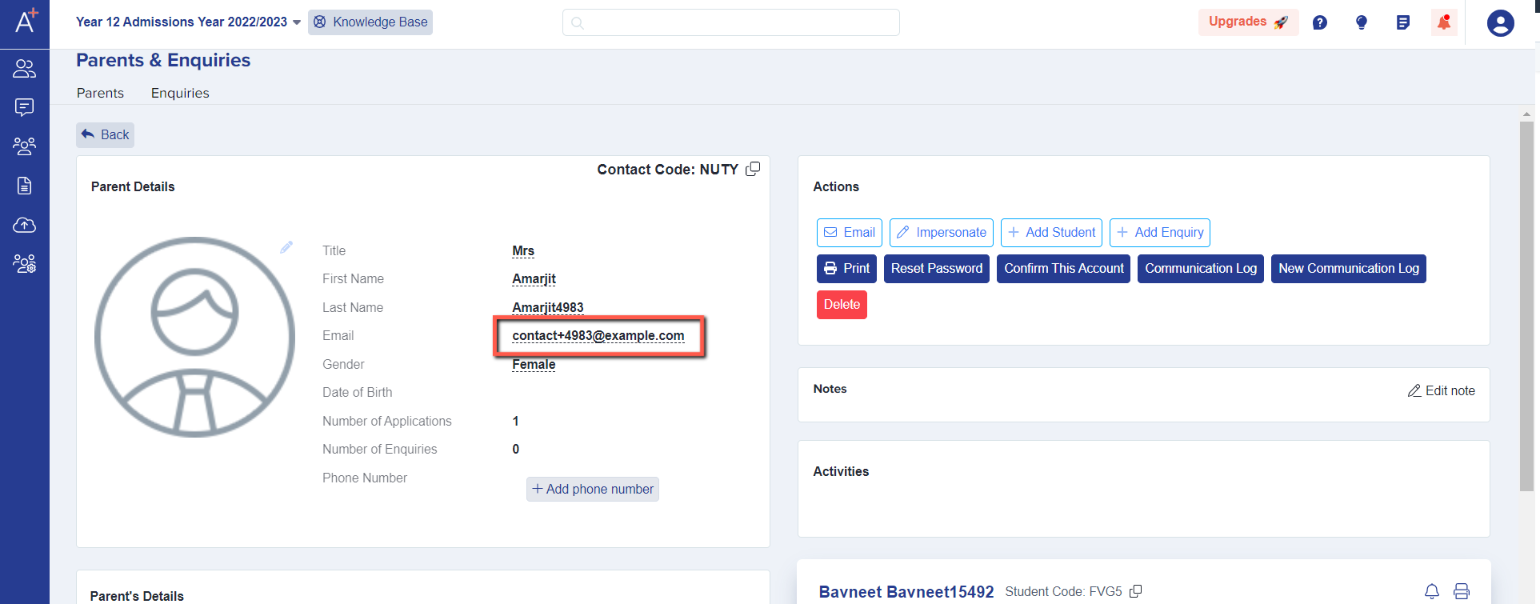
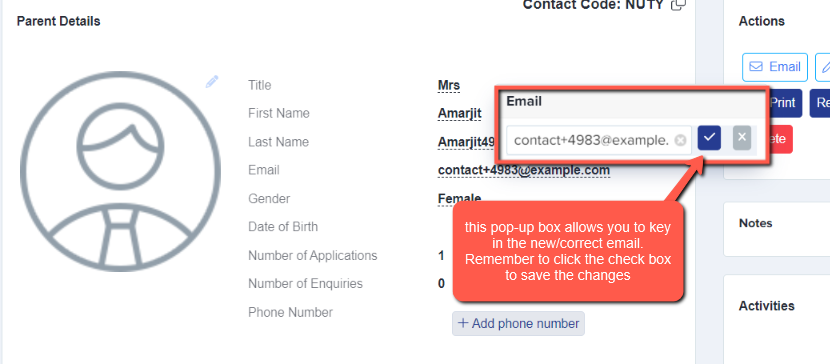
From the profile, you should see the email address - click the wording and edit then click the blue check mark to save the changes made. Any field which is underlined with dashes can be edited in this way.
Another way to edit the parent's email is by searching for the student that's associated with the parent on the search bar at top of the page.

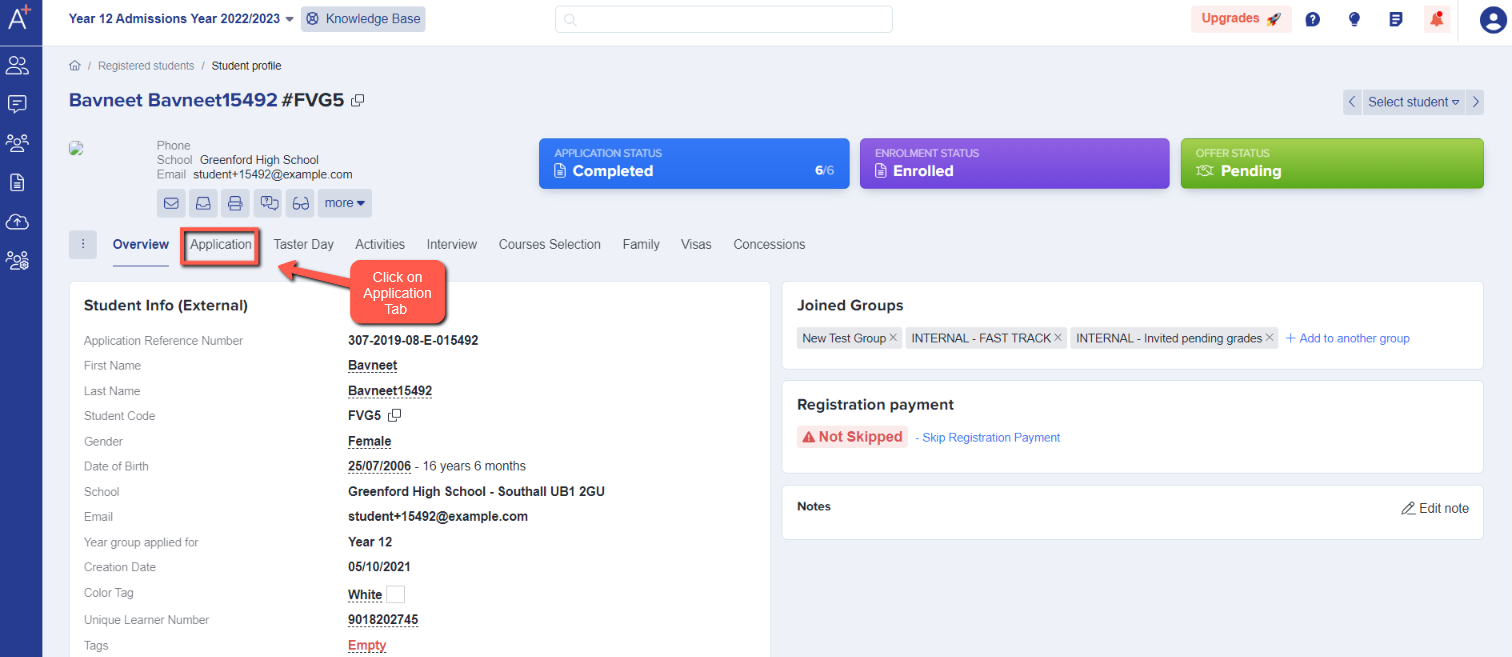
You will be routed to the student profile. Click on the Application Tab.
Select Parent/Carer Details then click "Expand to see more".
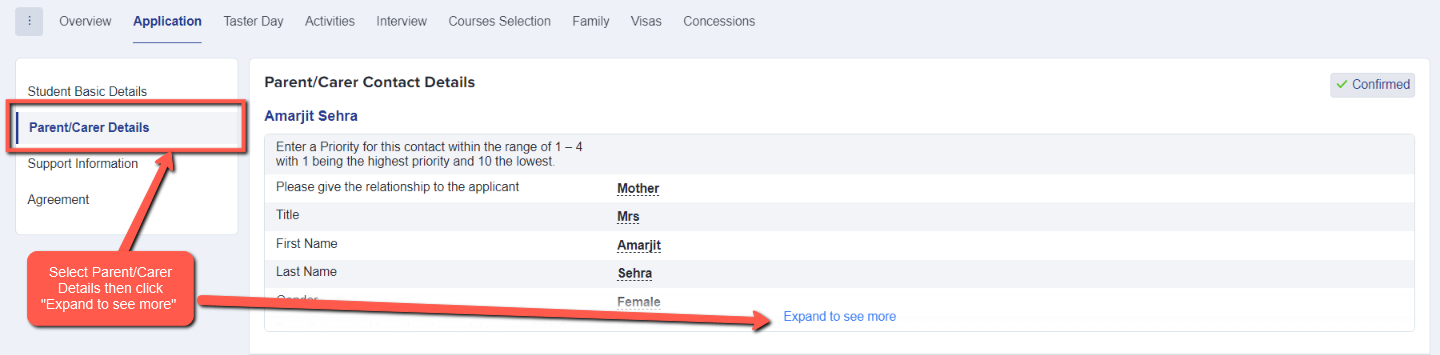
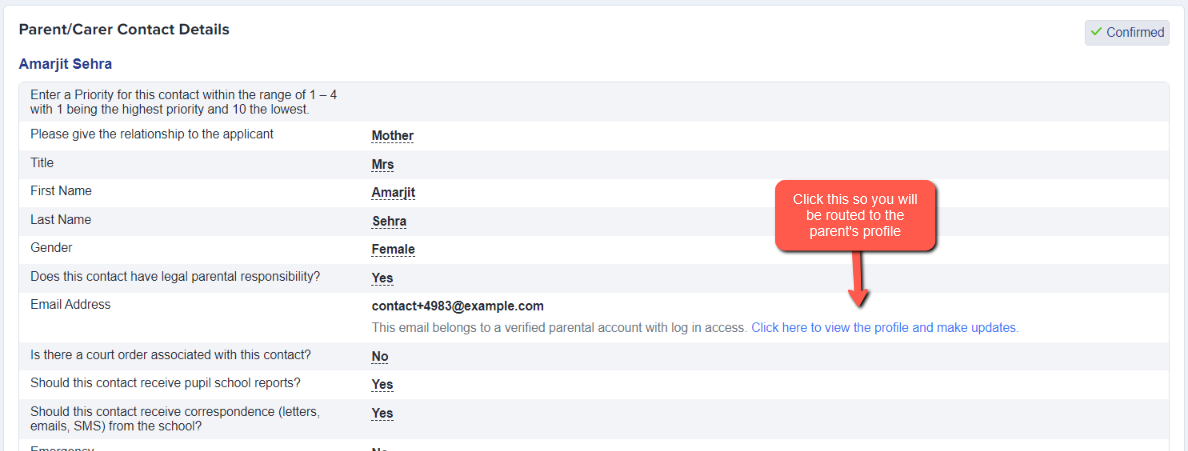
After clicking that, you should be redirected to the parents profile to perform the email address change.