
How to change your bursary page theme
This article will show how you can change the theme of your bursary 16+ landing page, to alter the layout
Go to Settings > Form Settings > Landing Page

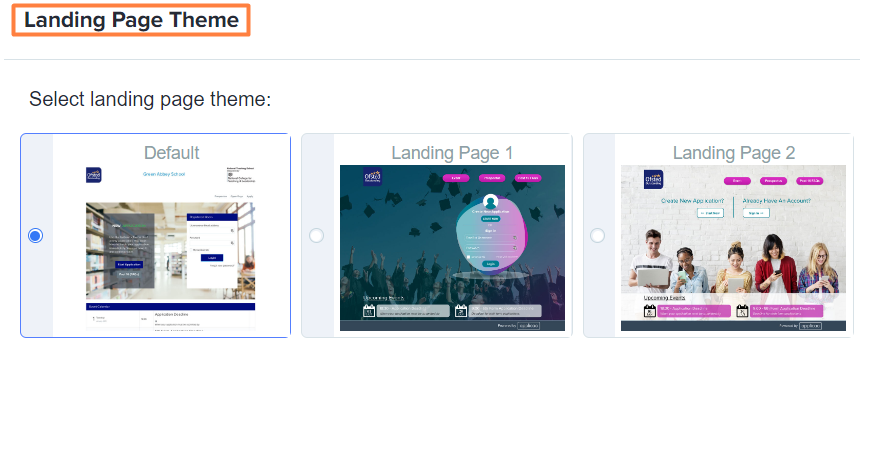
Currently, we have 3 different layouts to choose from and you will also see a preview of how each layout looks.
-
Default - the standard layout applied when you create your form
Note: using this layout is highly recommended and set as default, as it supports all features of the system
-
Landing Page 1 - this layout does not display a New Application block separated from the login block, nor a "Register" button for events
-
Landing Page 2 - this layout does not display a New Application block or login block, nor "Register" button for events
For layouts 1 & 2, students will need to click on the Create a New Account or Log In button respectively and if you have scheduled any events within your bursary system, they will be able to register for them when logged in, via the student homepage

Once logged in, their homepage will display event registration options if you have scheduled any events -

Was this article helpful?