
How to Set Up an Application Group
This article will guide you where you can add a new application group
First, click on Settings>Form Settings>Application group
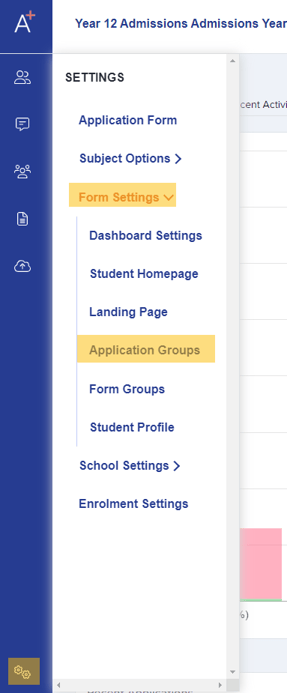
There are already default application groups in the system but you can rename or create a new one if you wish. There are also settings that you may choose; whether you like students to be part of multiple groups or one at a time, and the option to send an email to students notifying them of when you add them to a group.

To create a new Application group, click on '+New Application Group'
You can just fill out the required field which is name, the other fields are optional.
Click 'Create Group' when done.

Was this article helpful?