
How to update school bands for the next cycle
When renewing your students, you should check your bands to ensure that you have the accurate banding for this year.
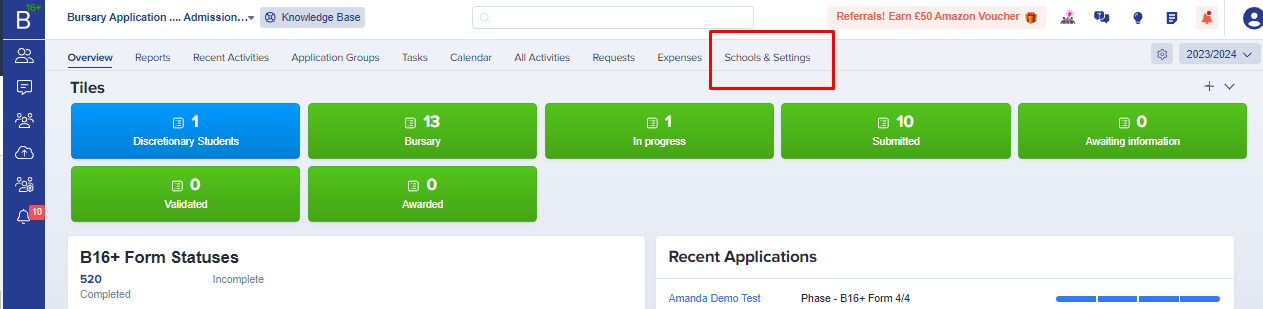
To do so, go to the Schools & Settings Tab which you may access on your Main Dashboard.
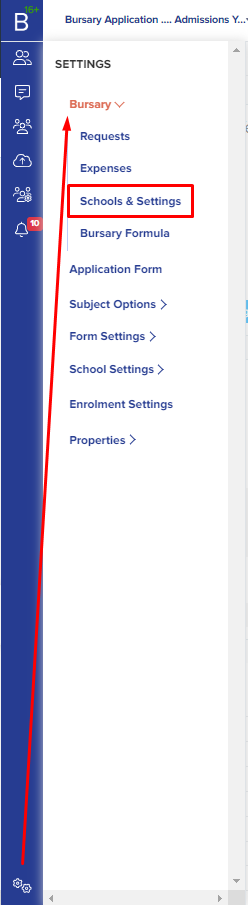
You may also access this via settings > bursary > schools & settings.
Once you are in the Bands Area, you may choose to clone your last year’s Bands by clicking the “Clone Bursary Fee & Band Settings from this Year to a New Year” and there will be a pop up preview then change the application year to the following year.

If you see this error notice while cloning your bands, ensure that your Band settings and Child allowance Band on the new year where you are copying it is empty.

Here is an example of how it will look if the bands are currently empty (before cloning)

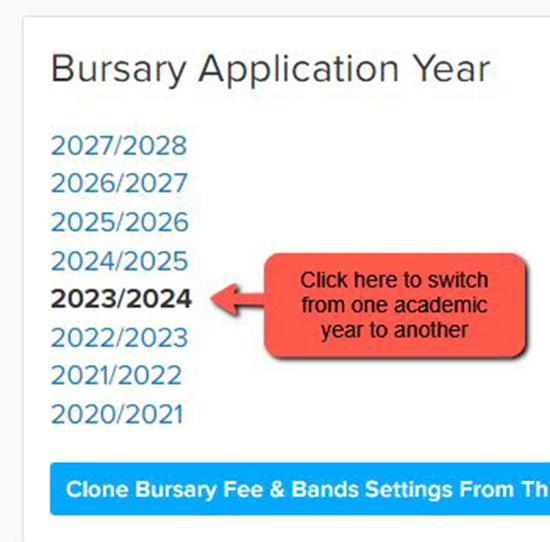
To switch from one academic year to another, click each year and it will show you previous years' bands.
Once you have successfully cloned your bands, you can tweak the bands if needed, and enter the total allocation you have for this academic year.

In this area you can also set or update an allowance for dependent children; if you would like the platform to reduce the ‘household income’ where there are a large number of children in the household, you may do so here -

Was this article helpful?