
Activating Google Translate in Your Bursary+ Platform
This guide will show you how to activate Google Translate on your bursary application form.
To enable this feature on your system, go to Settings > School Settings > General Settings.

Under General Settings, click on Other Settings. In the Other Settings area, click Edit and you will see a toggle to switch on **"Enable Google Translate."

**
Once you've enabled Google Translate, please do not forget to click on Save so that changes will be applied.

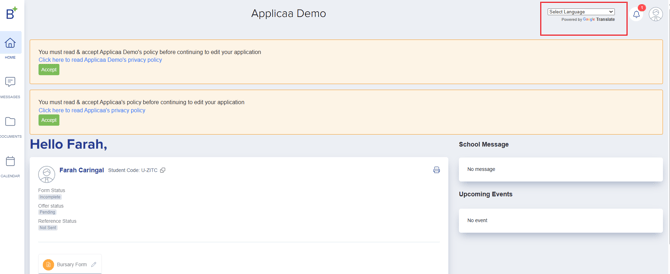
Once this is enabled, parents who have difficulty navigating the system in the default language will be able to switch to a different one, ensuring that the application process runs smoothly for everyone.
Was this article helpful?