
How do I edit a student's details on their bursary application?
This article will show you how to edit the responses on a student's bursary application form.
You can edit a student's application on either the student's profile page or by impersonating the student.
How to edit the student's information on their student profile:
Search for the student by the search bar at the top of the page, or from a list of students within a dashboard tile or application group

On the student profile you will first see an overview of key information for the student.

Editable fields can be found by clicking on the Concessions and Bursary tab, and you will be able to edit any property fields that have a black dashed line underneath the information, including "Empty" fields:

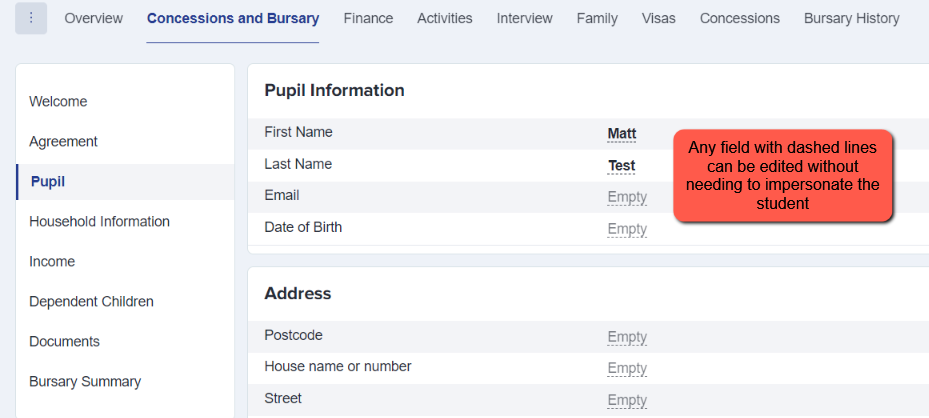
You can also change information for the student via their application form. You will need to click on "Impersonate" on the student profile:

You will be logged in as the student and taken to the student profile, where you will need to click on the form to amend it:

Click "update" or click on the specific step you need to access and make changes to.
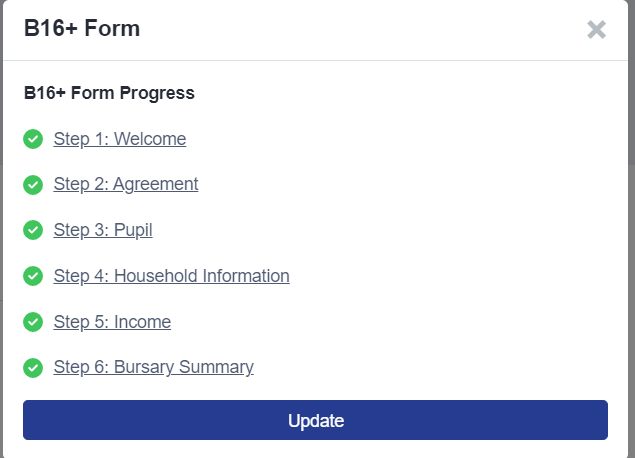
You will now see the application form, as the student will see it. You can click to select the step that you need to edit details in and then go ahead to type in the fields as the applicant would be able to:

If you have more steps you need to amend, choose "save and next", or choose "save progress and close" if you have finished making amendments.

You will need to click on "Back to Admin" to return to the admin view or the student profile

Was this article helpful?