
How to Add Hyperlinks
This guide will show you how to add hyperlinks into email templates or into the application form.
You have two ways of adding a hyperlinks into Admissions+. The first one, you can add hyperlinks into your email templates & the other one is you can add a text block (paragraph) into your application form and add necessary links for an additional information.
1.2.1 Add Hyperlinks to your email templates
First, kindly go to Communications & Events > Communications > then click on Manual messages if you wish to create a new template from scratch otherwise, you can just search for the email template that you would like to add the links.

Then you may click the 'pencil' icon to edit the template.

Once the email template is open, you can make changes in the below fields as necessary, if none you may hit the next button to proceed to the next step.

On the template area, you can now add any content to your email template then highlight the word/s you would like to put a link to it.

Then click on the hyperlink button as shown below and paste the URL in the field and click the green check button to save.

Once done, proceed in saving your template by hitting the 'Save' button below.

1.2.2 Add Hyperlinks to your Application form
First, go to your settings > application form.
Then open any step you would like to add a text block or the URL. For this sample, we'll be adding a link to the agreement step.

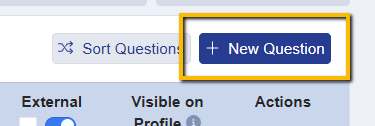
Click the '+ New question' button.
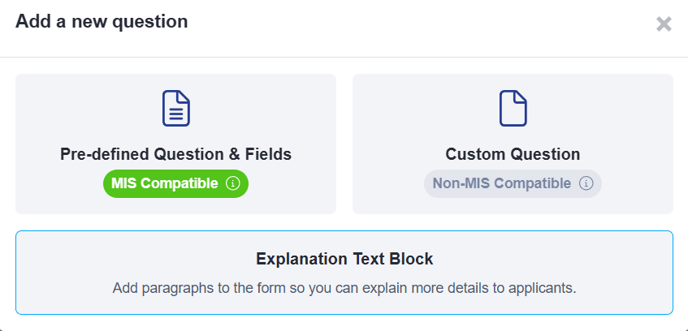
Then select the paragraph button under the File upload property.
And here below you may put the title or the question & then on the 'text content' field this is where you can add the additional information & highlight the word you would like to put link as well then click the hyperlink button.


This ensures applicants and recipients have easy access to important links without cluttering the form or emails.
Was this article helpful?