
How to Edit Your ApplicaaOne Profile and Add Your Grades
This guide will walk you through the process of editing your ApplicaaOne profile and adding your predicted grades.
Upon logging in, you'll see an icon with your initials in the upper right corner. Click on the icon and select 'My Profile & Grades'.

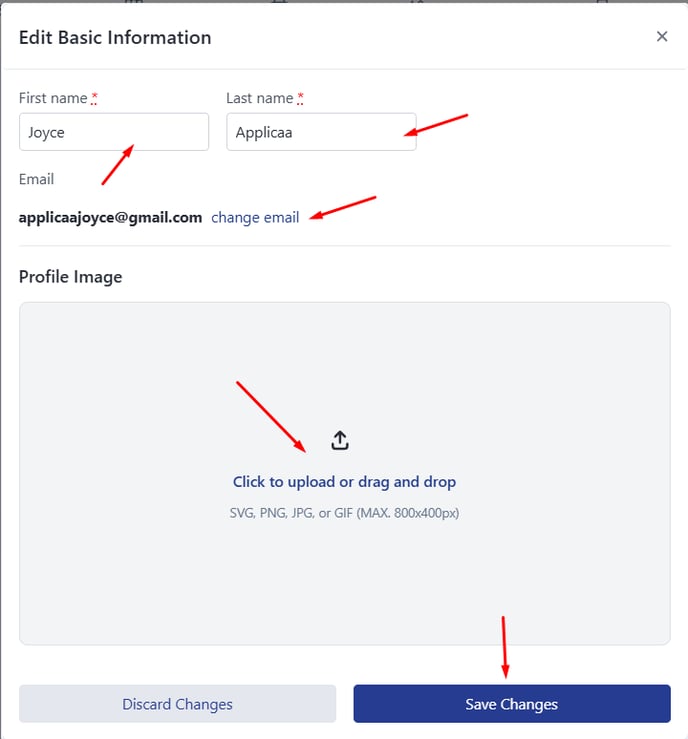
Update your Name, Email Address, and upload a profile photo by clicking the pencil icon below. Make sure to click on 'Save Changes' to confirm your updates.
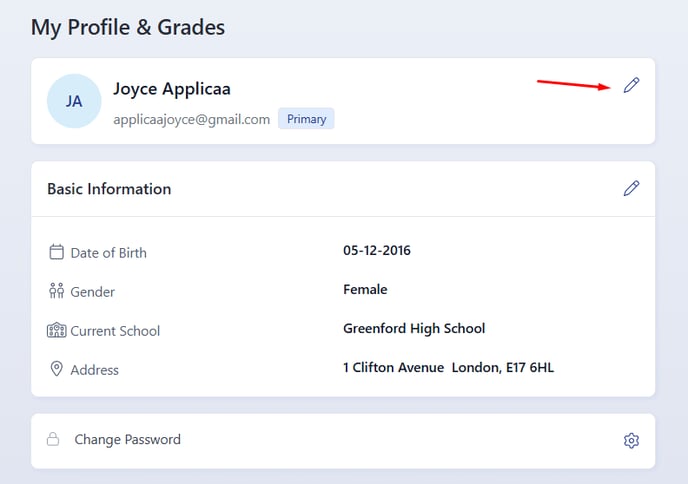
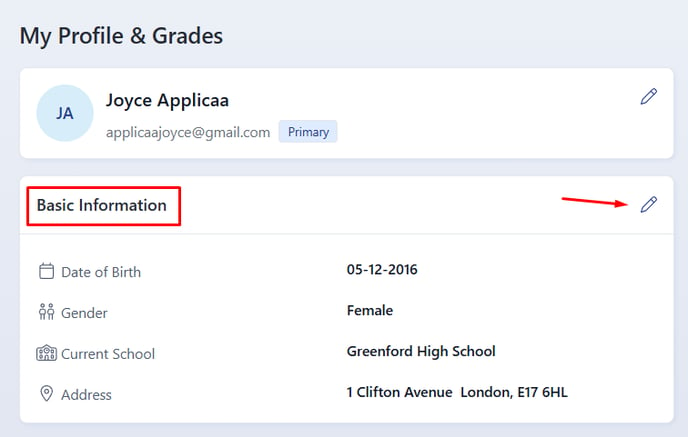
Edit your Date of Birth, Gender, Current School, and Address by clicking the pencil icon in the 'Basic Information' section.

You may change your account password by clicking on the gear icon shown below.


Add your contact number by clicking the '+ Add Phone Number' button in the Contact Information section. Edit an existing number by clicking on the pencil button, and delete a contact number by clicking on the trash bin button.
Note: You can add more than one contact number.

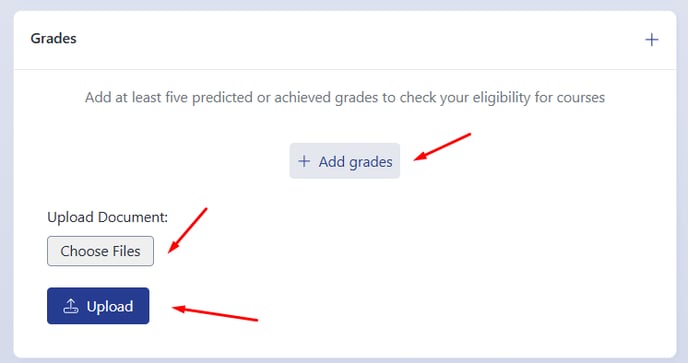
To add your grades, click on '+ Add Grades.' Please note that once you begin submitting applications to schools, your grades cannot be edited, so ensure the information is accurate before proceeding. You can also upload any proof of grades by clicking 'Choose Files' and then clicking on 'Upload'.

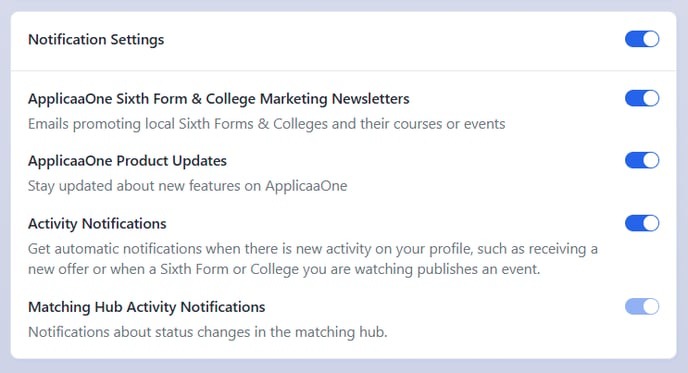
In this section, you can also customise how you'd like to receive notifications by simply toggling the buttons ON or OFF.
Thank you for using our guide. We hope you found it helpful.
Was this article helpful?