
Advanced Filter Function for Events
This guide will explain how the Advanced Filter function works in conjunction with Visibility Settings when creating an event.
The Advanced Filter function allows users to define who will be able to see the event based on various criteria.
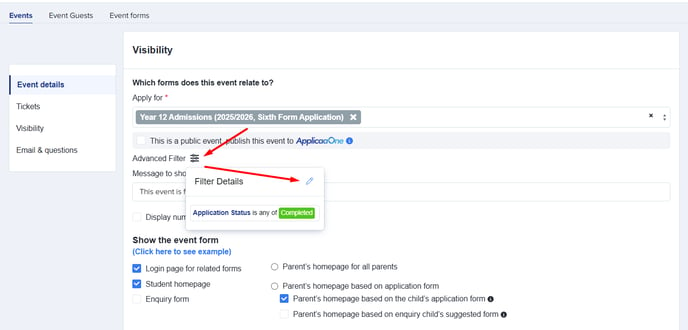
To access this function, click on Advanced Filter, then select the pencil icon shown below to edit and set your filter.
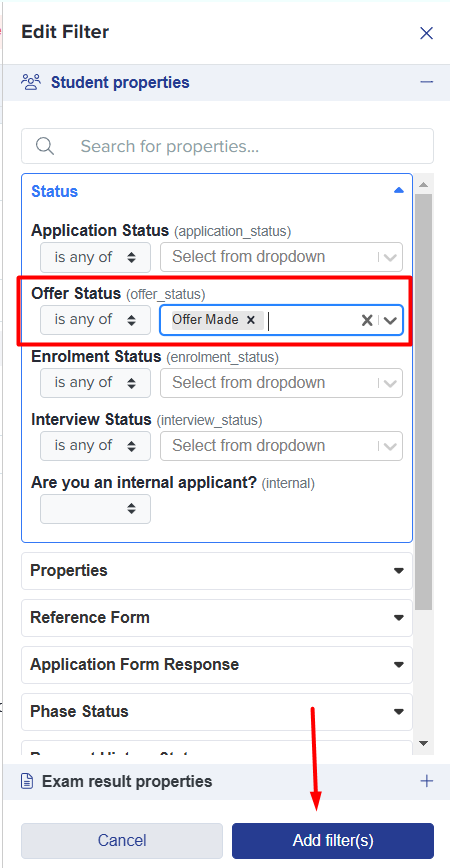
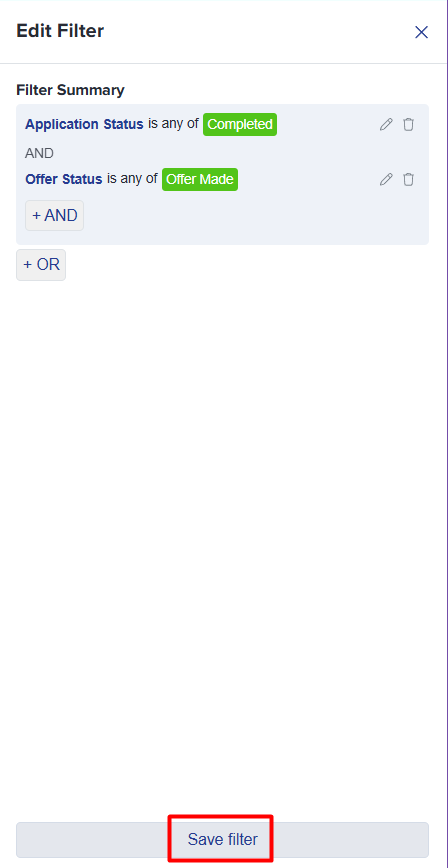
Select your preferred filter, then click Add filter(s) to apply it. Once you’ve made your selection, click Save filter to confirm.
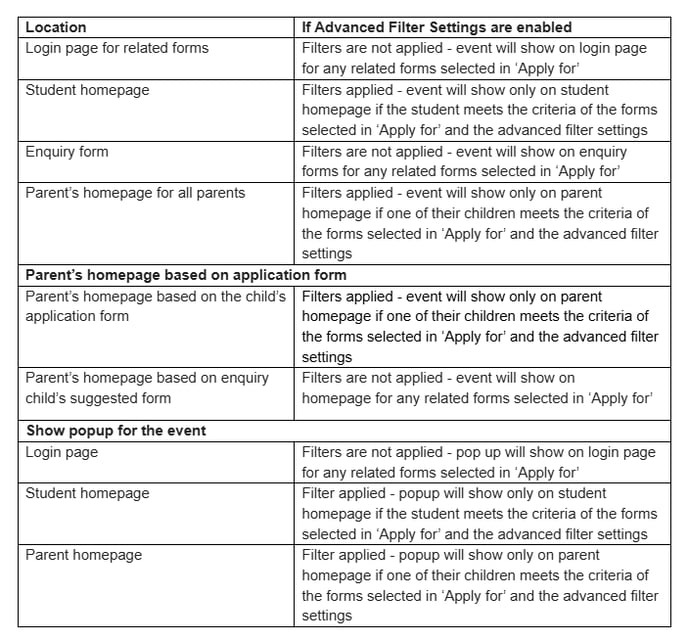
Now that you've applied an advanced filter, refer to the table below to see how it interacts with the Visibility Settings.
We hope this guide has been helpful in understanding how to use the Advanced Filter function alongside the Visibility Settings. If you have any questions, feel free to reach out to your Customer Success Manager, or contact our Support team at 0203 667 0764.
Was this article helpful?