
Automatically closing Bursary+ applications that exceed the threshold
This guide will take you through how to enable the setting to automatically close applications where the applicant’s total income exceeds the threshold set by your school to be awarded a bursary.
Please also note the following:
- This is an optional setting and will only be enabled if you choose to do so
- This setting only applies to new applications, not renewing applications
Enabling the bursary threshold warning
Go to Settings > Bursary > Bursary and Fees, and under the “Bursaries” table, you will find a toggle switch that will enable the setting:

Here, you will also be able to configure the message for the pop-up that will appear when the user clicks the “Submit” button on the last page of the application form. We have added some suggested text, but if you choose to edit this your message should advise your applicants that the financial information provided takes them above the bursary threshold, their application will automatically be closed and what the next steps are.
This is how the warning pop-up looks on the application form for your applicants:

After the applicant clicks “OK” they will be redirected to the parent dashboard where the status of the application will be updated to “Closed”:

An automated confirmation email will be sent to the applicant to inform them their application has exceeded the threshold and is now closed. You can view and edit this email by going to Communications > Automated Messages.
Identifying applications that exceed the threshold
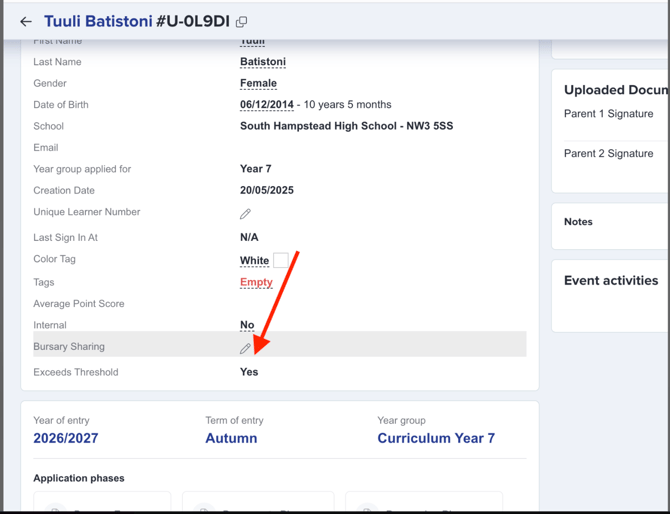
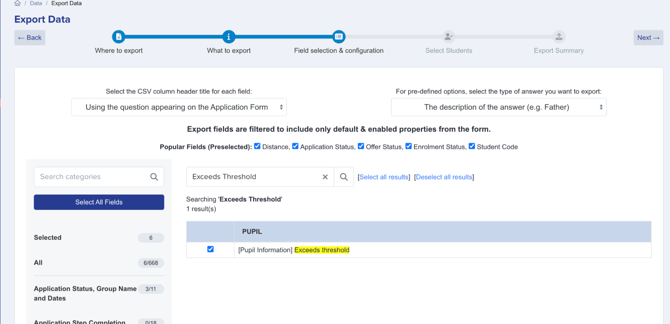
You will also receive an automated email to alert you to applications that have exceeded the threshold - and there are a number of other ways you can identify and report on these applications:
On the student profile:
Dashboard tile:

Views and filters:


Reviewing the bursary threshold
Your school will have set the bursary threshold limit when configuring the platform, but if you want to review what this is, it can be found in Settings > Bursary > Bursary and Fees:

In the Bursaries tables, the column titled “Total Resource Max £” is the column that dictates whether the warning message should be displayed to applicants. If the total income added to their form surpasses the number in this column, they will see the message and the application will be closed.

Was this article helpful?