
How to Add Liabilities as a Question in Your Bursary Form
This article will show you how to enable/disable questions about liabilities on your bursary form.
To enable the 'Liabilities' section from your bursary application form, click to 'Other Assets' step then scroll down to locate the Liabilities section as shown below.
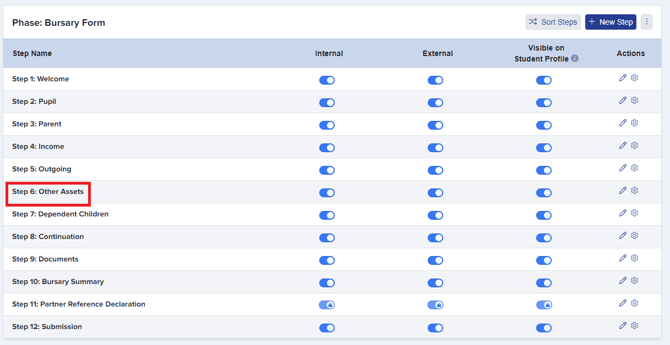
- It is enabled / disabled on the Application form settings and you can configure the options too. You can switch the toggle button ON to enable the 'Liabilities' section as well as the questions under it.

- It comes with a long list of lookups that you can turn on or off and you can also add your own.
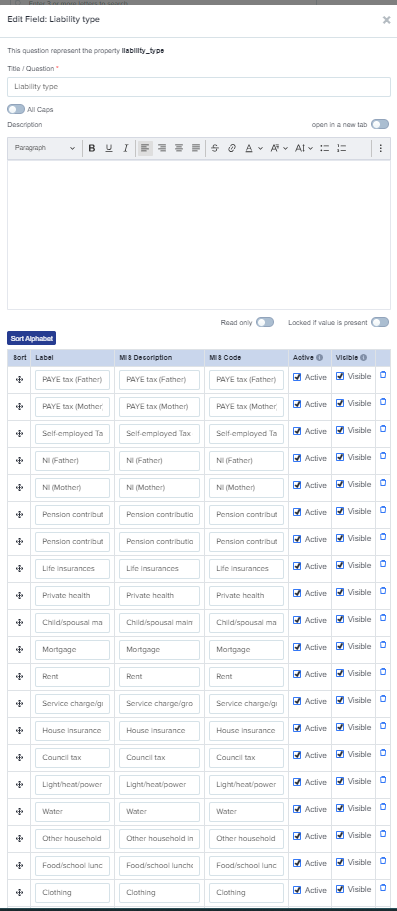
- It can be included in the Asset value (or other) calculation as required in the formula menu.
Was this article helpful?