
Tracking and Following Up on Incomplete Bursary+ Applications
This article explains how to send a follow-up email to students with incomplete bursary+ applications.
-
Find Students with Incomplete Applications:
-
-
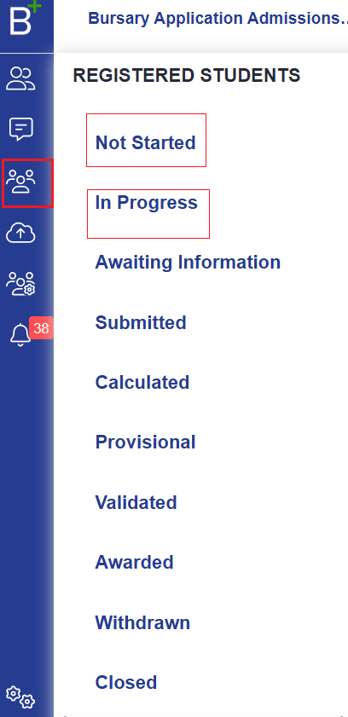
Click Registered Students on the left menu.
-
Select 'Not Started' for students who registered but haven’t begun.
-
Select 'In Progress' for students with partially completed applications.
-
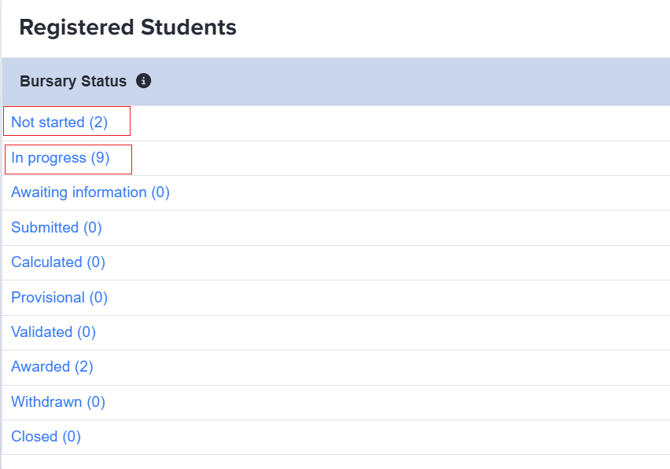
You can also access this via dashboard tiles or the Bursary Status widget.

-
-
Send a Follow-Up Email:
-
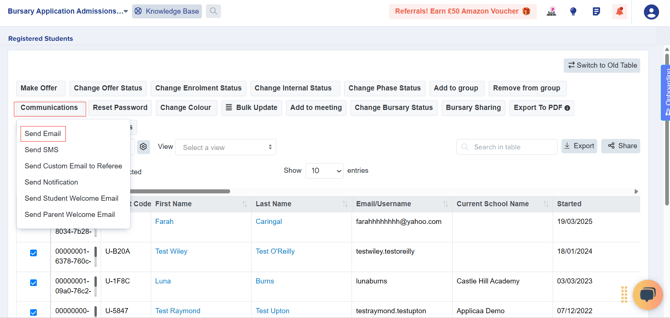
A table will display students based on your selection.
-
Select all students, then click Communications > Send Email.
-
-
Compose Your Message:
-
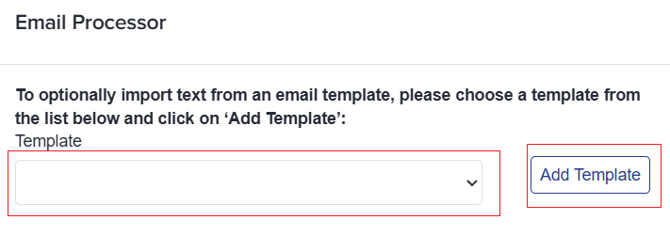
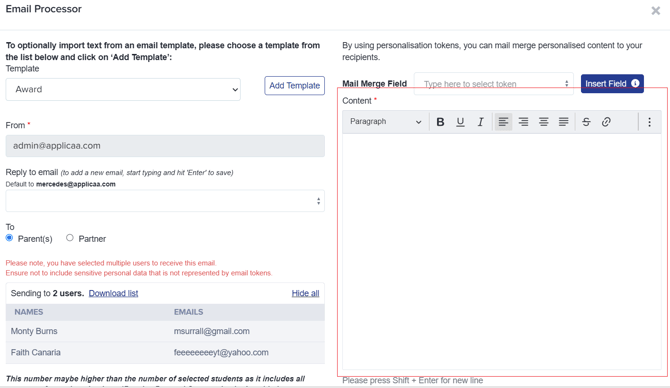
Choose a pre-made email template from the dropdown or type your own message.
-
If using a template, select it from the Template dropdown, then click Add Template.
-
If typing manually, enter your message in the Content field.
-
-
Send the Email:
-
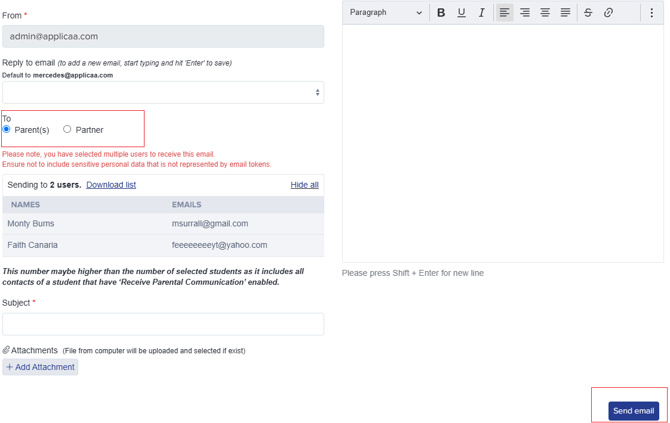
Choose your recipients.
-
Click Send Email to notify all selected students.
-
Was this article helpful?