
How to Create a Test Account in B+
This article explains how to create a test account in your Bursary+ platform to practice actions and view the student experience.
Testing your platform ensures everything is set up correctly before launching to students. You can create a test account in two ways:
-
System-Generated Test Account:
-
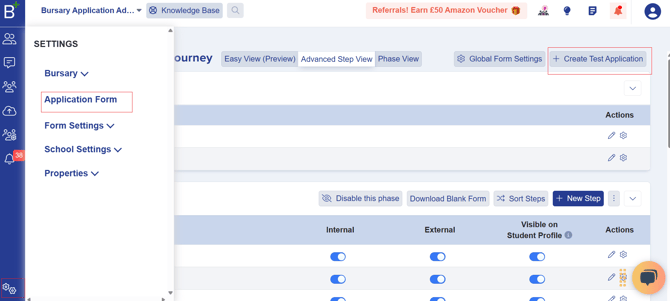
Go to Settings > Application Form and click +Create Test Application.
-
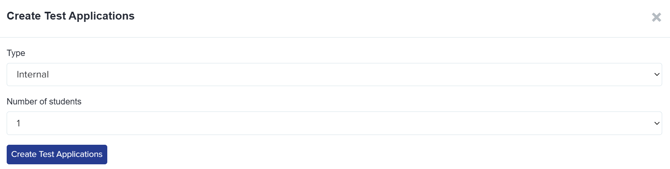
Choose Internal (for current students) and click Create Test Applications.
-
The system generates a test application with random answers, allowing you to review the student profile.
-
-
Manual Test Account:
-
Manually Add yourself as a student using a personal email (not your work email).

-
Send yourself the welcome email to log in and complete the form as an applicant.
-
Alternatively, register directly on your landing page if not connected to Admissions+.

-
After registering, you’ll receive a confirmation email to log in and start the application.
Was this article helpful?