
How to Mark Courses as Favourites on ApplicaaOne
This guide will walk you through the process of marking courses as favorites on ApplicaaOne.
When searching for courses and you're still undecided, feel free to mark them as favorites. This allows you to easily revisit your options at any time.
Simply click on the star icon, and once it turns green, it indicates that the course has been added to your 'Favorites' list.

To view the courses you’ve marked as favorites, click on your profile icon in the upper right corner and select 'My Short-lists.

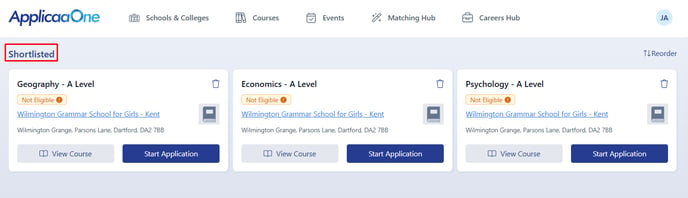
You can easily rearrange your shortlisted courses by clicking on 'Reorder' and dragging the courses into your preferred order. Make sure to click on 'Save Changes' to confirm.


Thank you for using our guide. We hope you found it helpful.
Was this article helpful?