
How to Filter Parents in B+
This article explains how to filter parents based on specific information from the table or list in the Parents & Enquiries area.
Click on the Parents & Enquiries icon.
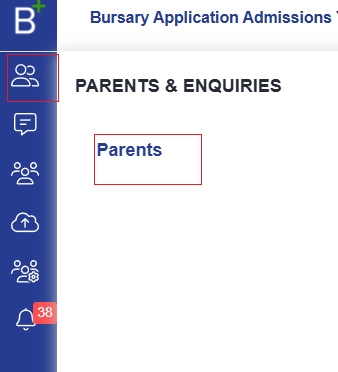
Click on Parents, and a list of all registered parents will be displayed.
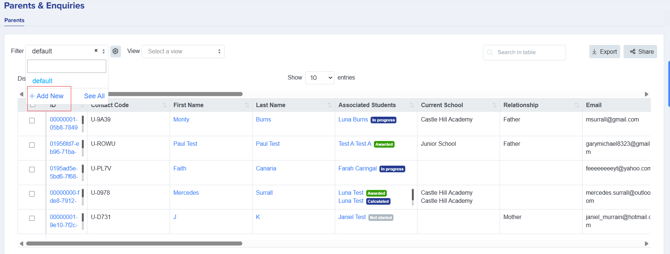
At the left of the page, click on the Filter dropdown menu and select Add New.
A side panel will appear, allowing you to set your desired filter criteria, such as form selection, admission year, application year group, and application status.

Click Add Filter(s) to see a summary. You can then either give the filter a name to save it for future use or simply click Apply Filters to view the filtered list without saving.

If you save a filter, it will be available for future use, so you won’t need to recreate it from scratch.
This is the best way to organise parent profiles based on your needs, whether for exporting or simply viewing them.
Was this article helpful?