
What Is Step View?
This articles explains what the step view is for and how to make sure the settings work for you
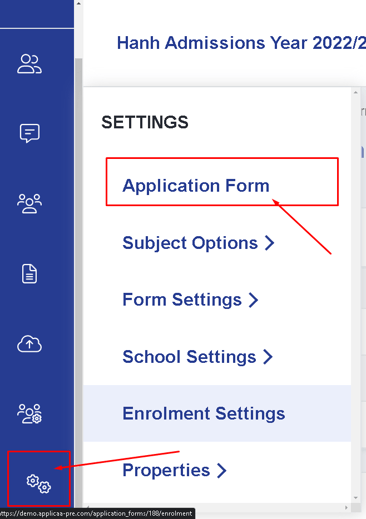
Step view is a way of seeing how your set of questions would be grouped in each step. In order to get there you will need to click Settings > Application form. It's the default view when you select the application form

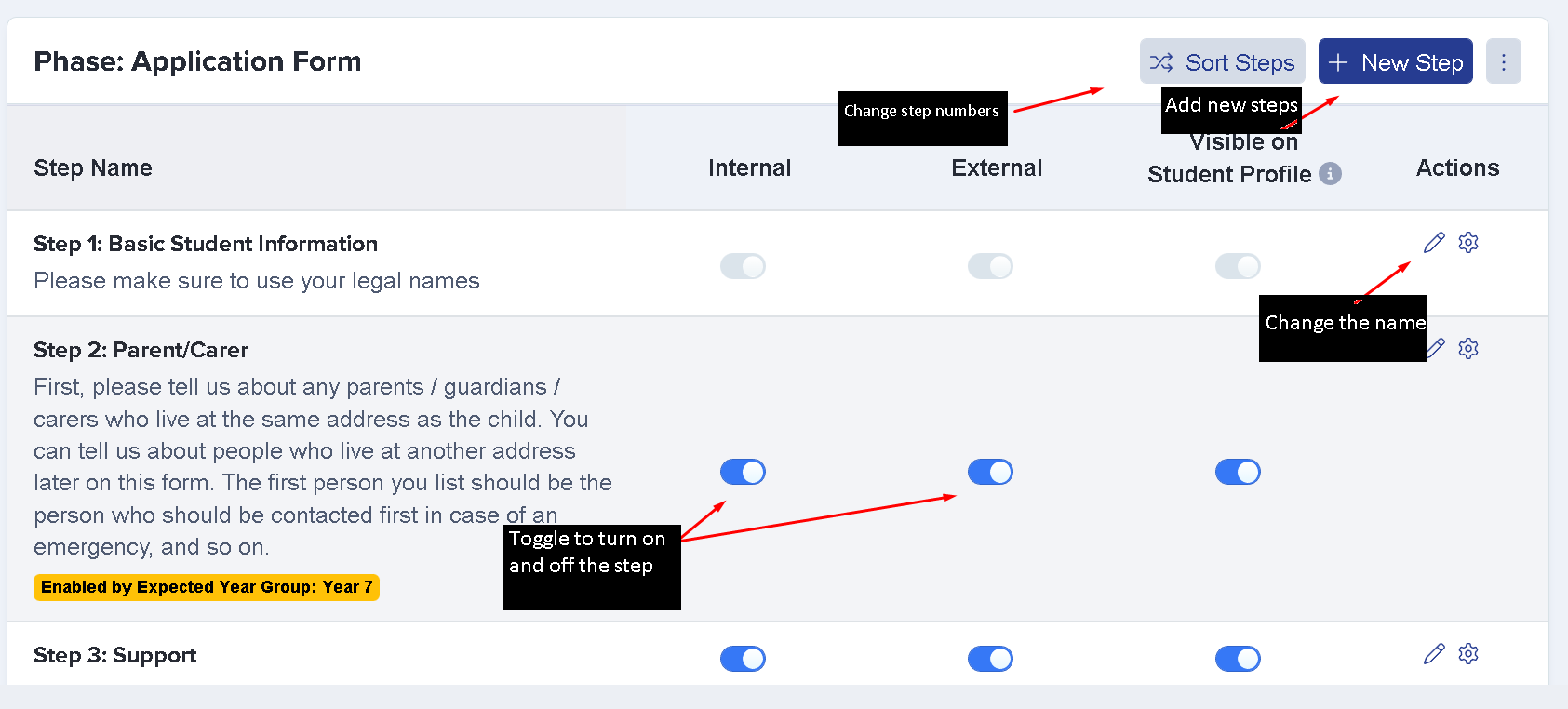
This area will allow you to create new steps, turn a step on and off for internal/external students, sort the steps, and even change the wording of the steps.
Here is a quick video guide on how to add a new step
Was this article helpful?