
Updating/Uploading Your School's Privacy Policy
This guide will tell you how you can update or upload your school's privacy policy
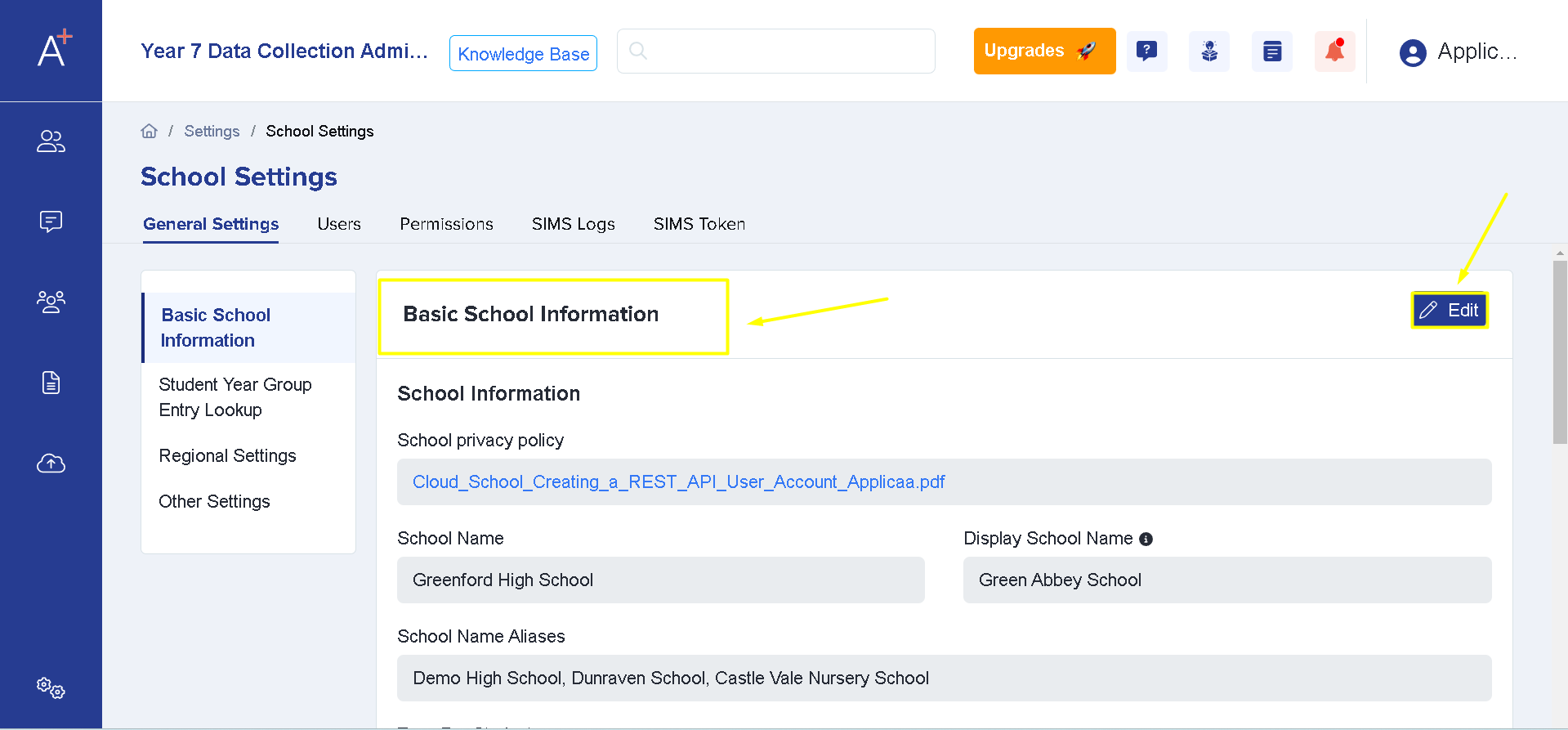
For you to update your school's privacy policy you will need to go to Settings > School Settings > General Settings

Under General Settings you'll see the Basic School Information area and you will need to click "Edit."
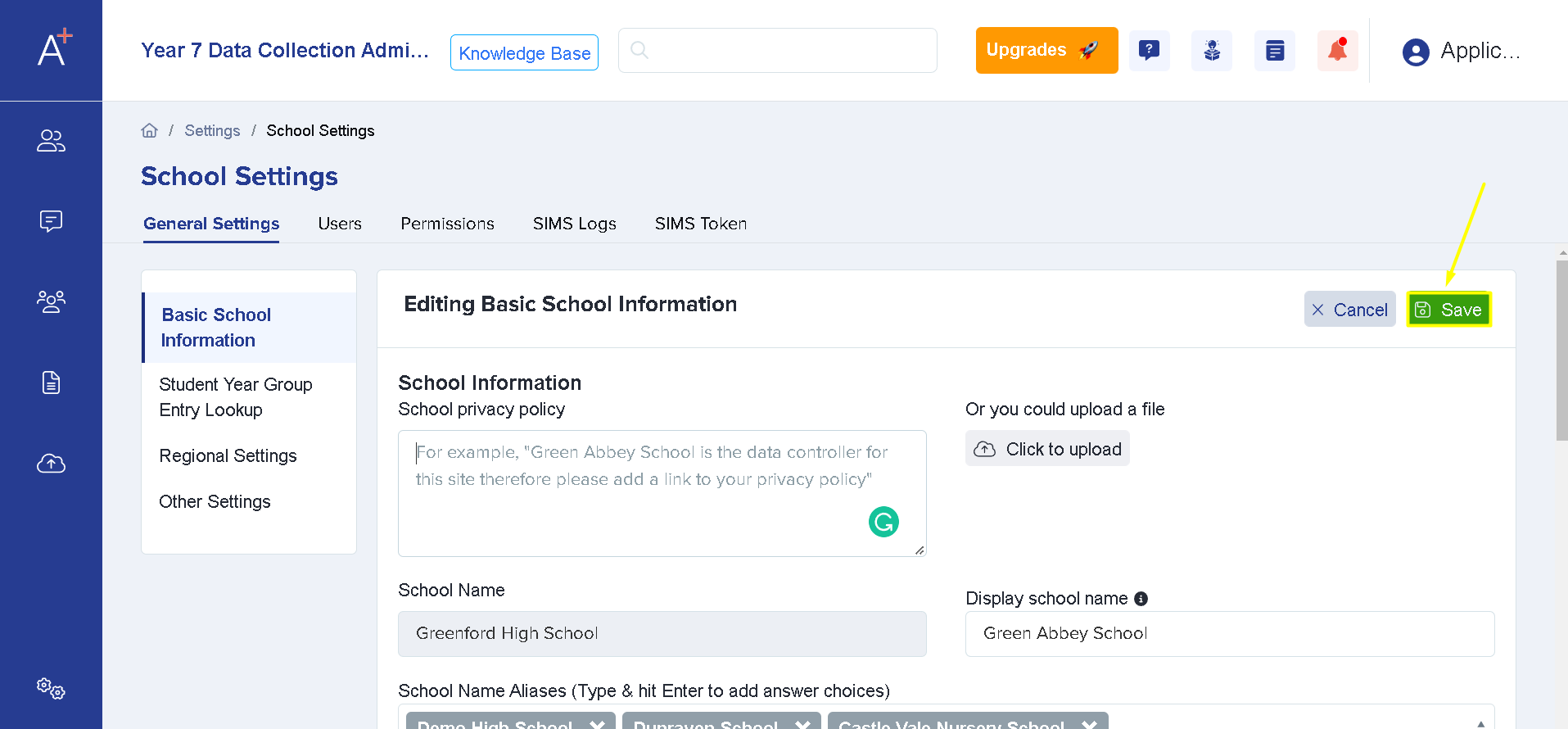
By clicking Edit, the system will allow you to add a text for your privacy policy and an upload facility will also appear where you may attach your document. (Please note that this could be a PDF file or a Word document)

Once you've selected a file to upload, click on Save so that changes will be applied to your system.
After this, an updated privacy policy will be available for parents/students to agree upon registration.
Was this article helpful?