
What to check if students/parents are unable to start/proceed with an application?
Some basic troubleshooting when students/parents are having trouble with the forms.
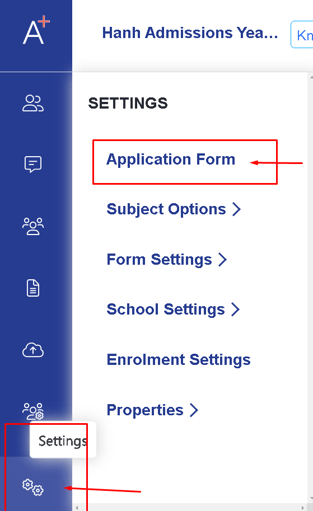
1. Check the global form settings by going to Settings > Application form > Global form settings
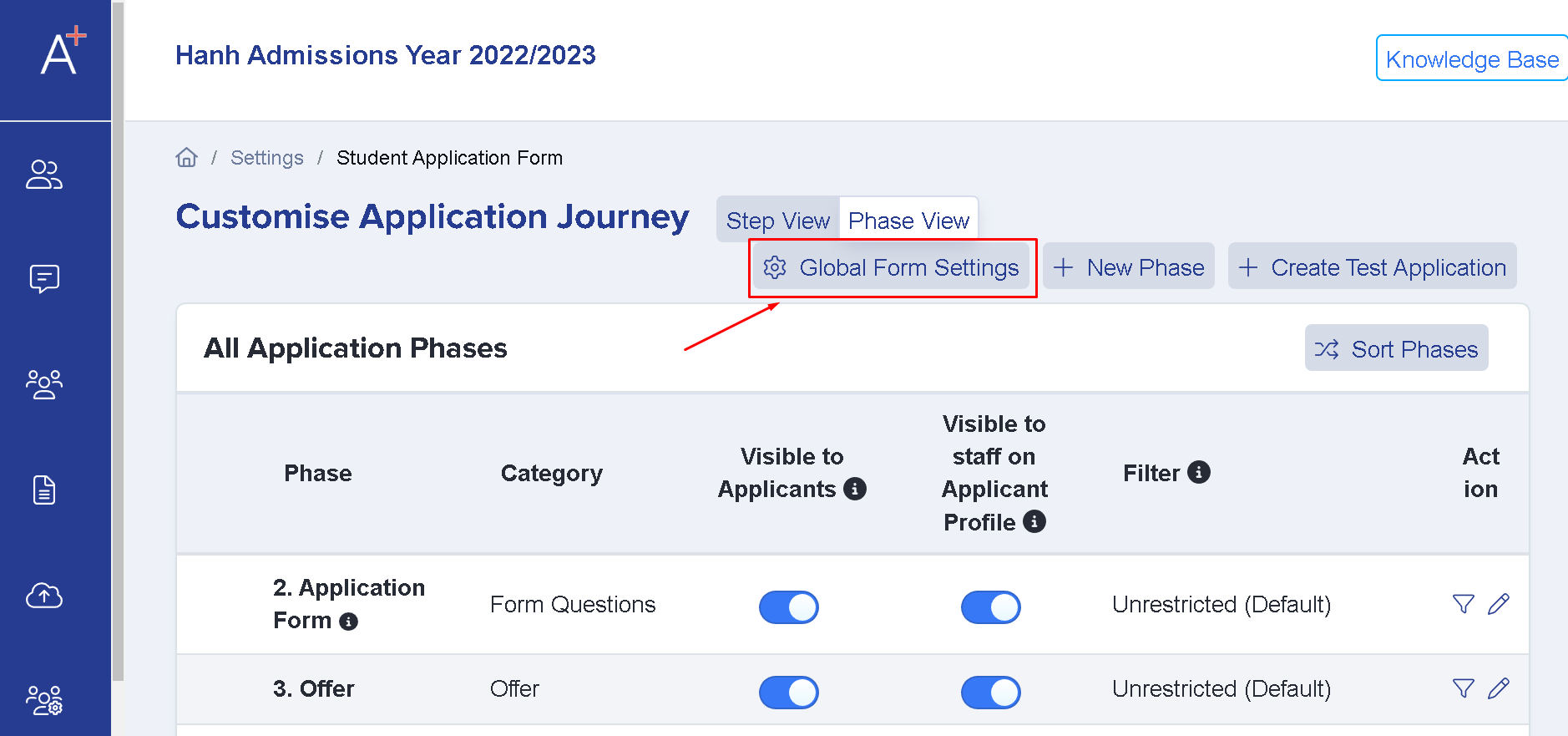
Once you're on the global form settings check:
a. What type of user can apply
b. If the toggles are properly set (Stopping new students to apply and preventing parents from adding new applications)

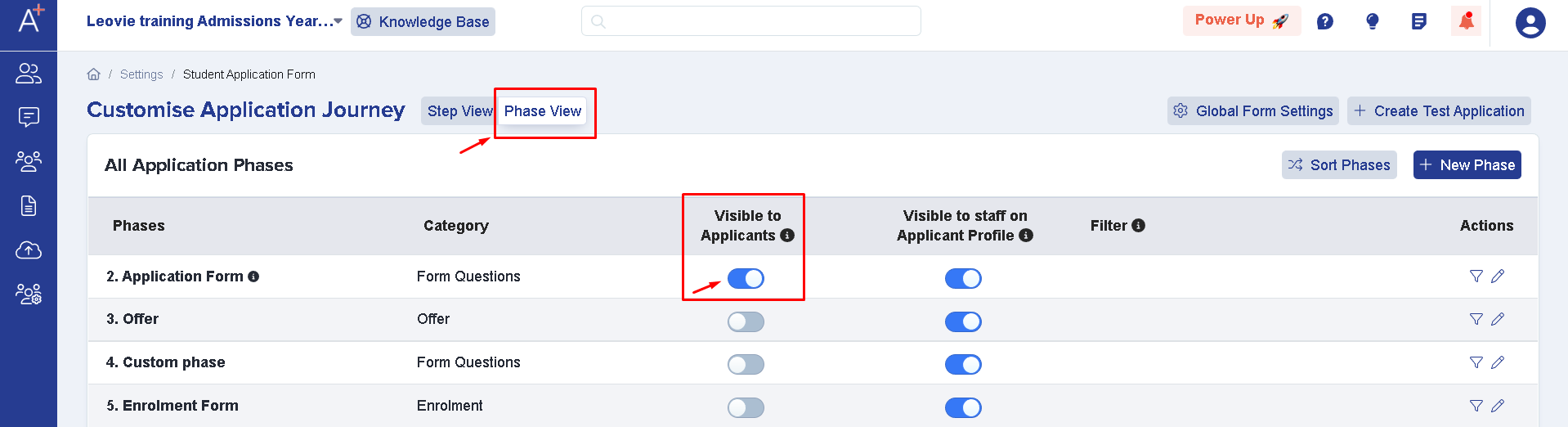
2. You may check which phases are available for students/parents. To do this you'll have to go to Settings> Application Form >Phase view. From there you'll see the toggles that are visible to applicants.
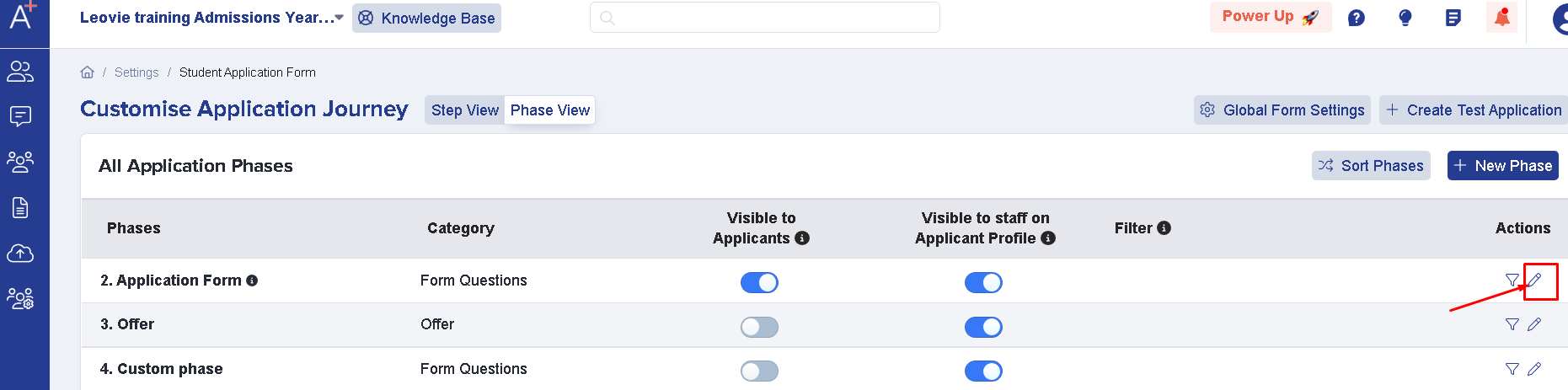
While here you may also check each phase's settings by clicking on the pencil icon which will show you if the student's application locks after submission which means they can no longer make changes to the application after it's completed. Also, make sure that "disable submissions" is turned off as that won't let any new applicants or those that haven't finished the applications proceed with that phase

3. Checking the landing page options
To get there you'll need to click on Settings> Form Settings > Landing page.
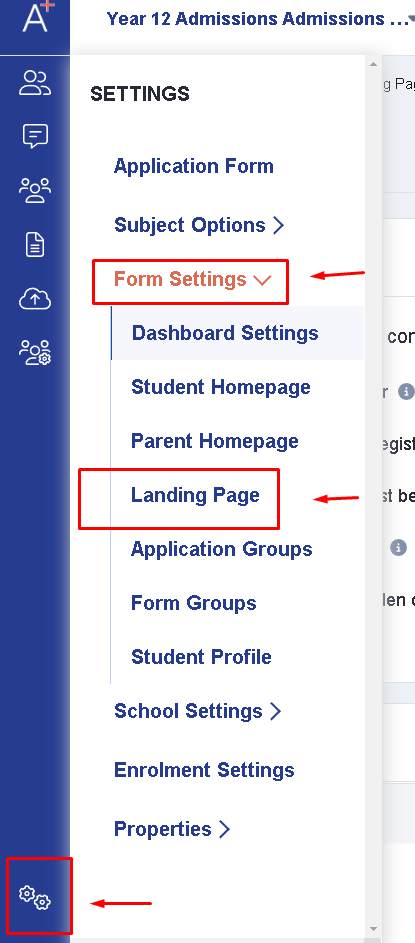
You'll then click 'customise text & buttons' which will show you if they are toggled properly, to correct the toggles click Edit on the right-hand side and it will allow you to toggle if "Show New Application block" and "Show New Application button" are on.

4. Make sure your privacy policy is uploaded.
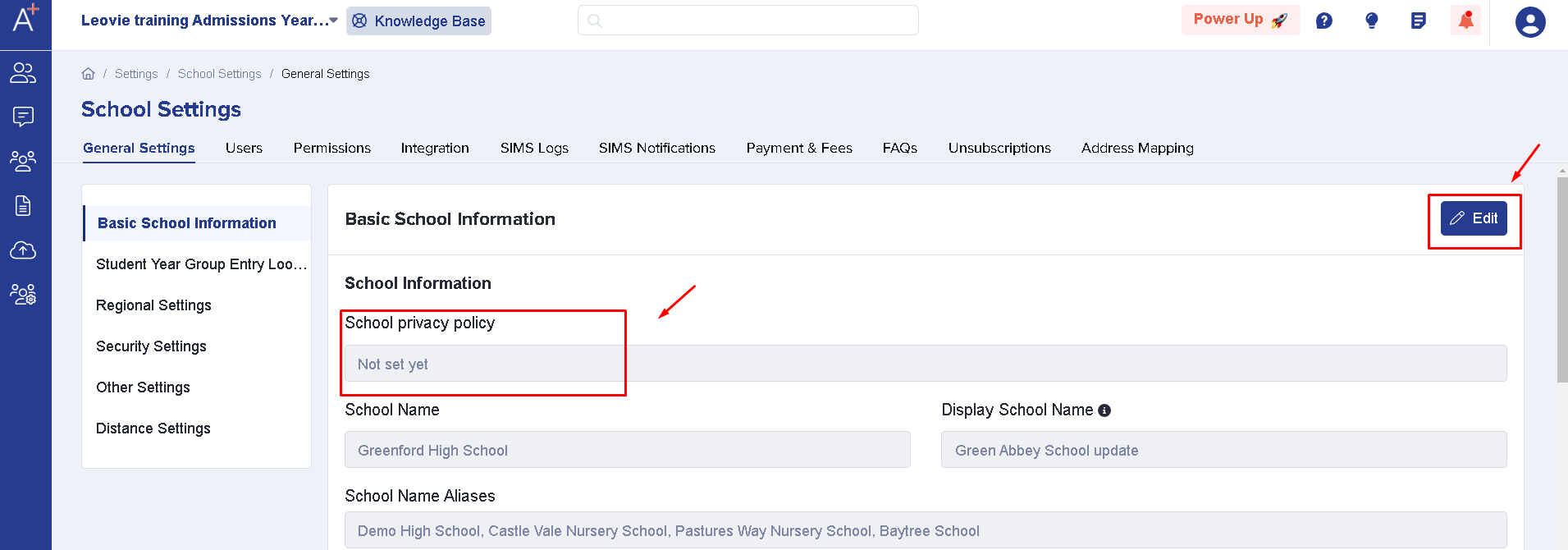
To make sure it's uploaded go to Settings > School Settings > General Settings

You'll then be shown where the privacy policy is set and you may click edit to upload one. It is important that you have this as your form will not be accessible unless you upload your school privacy policy.
Was this article helpful?