
How to add bursary FAQs for students
This guide will show you how to add Frequently Asked Questions in your Bursary16+ platform.
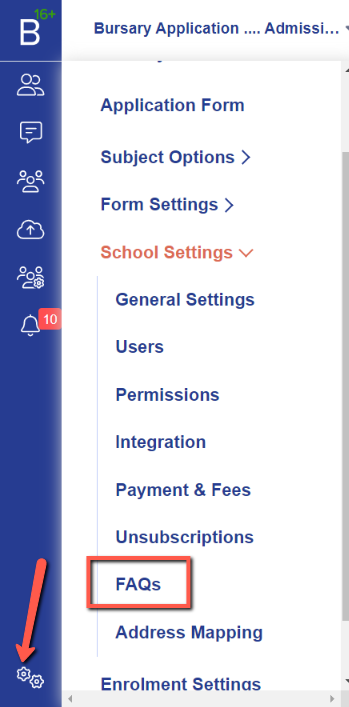
First, login to your system and navigate to settings > school settings > FAQs.
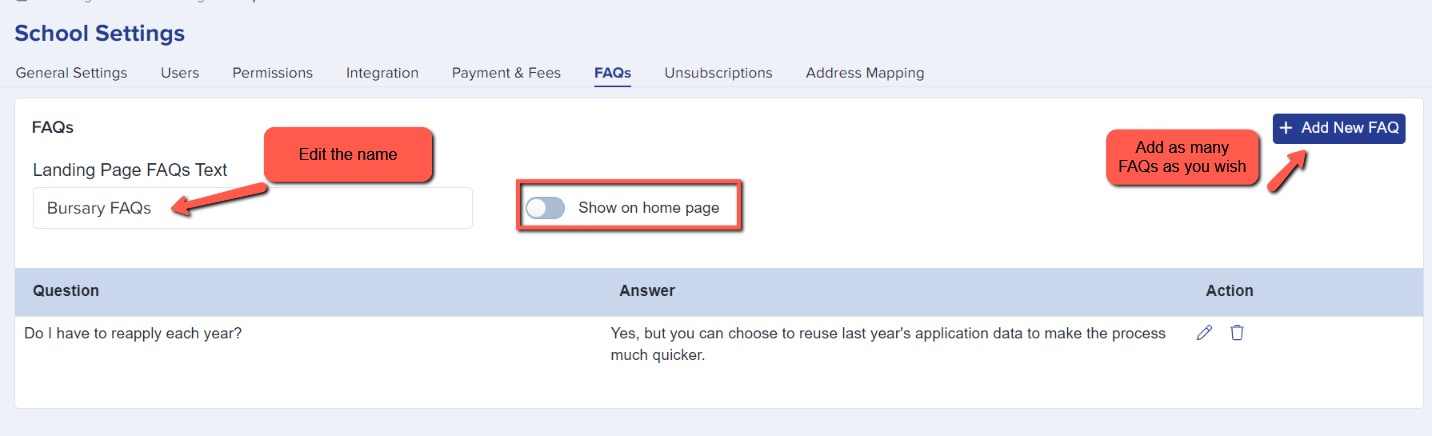
In this area, you will be able to input the title of the FAQs, and have the option to show the FAQs on the homepage for your prospective students to see when logging in.


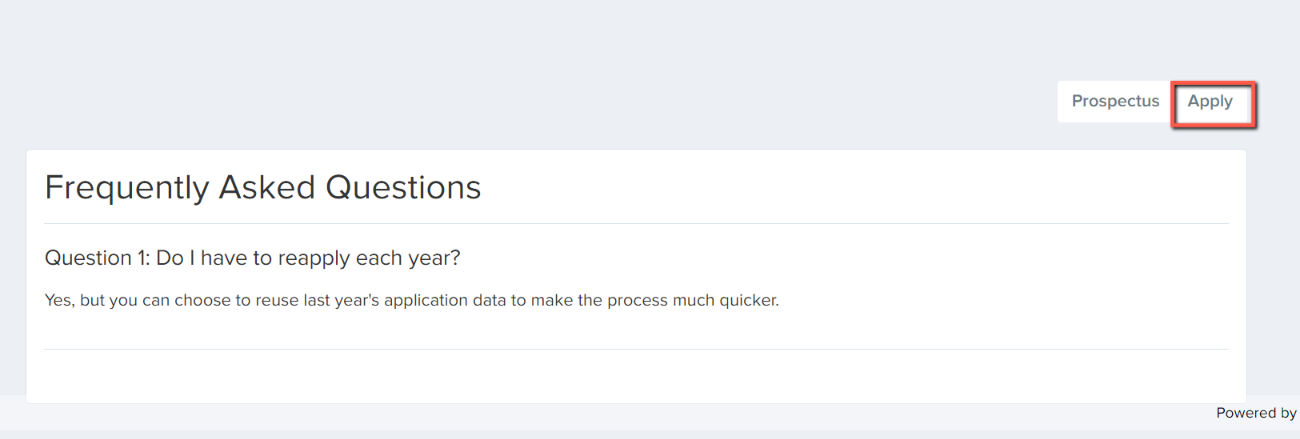
Once they have read the FAQs, they can follow the link to apply for the bursary.
Was this article helpful?