
How to Add Students to an Application Group
Once you have created your application group, this article will show you how you can add students to it.
On your dashboard, click a group of students you wish to add. For this example, let's go for Registered students. Search for the students you'd like to add on the 'search in table' box.
You need to select students first in order for the options at the top to show.
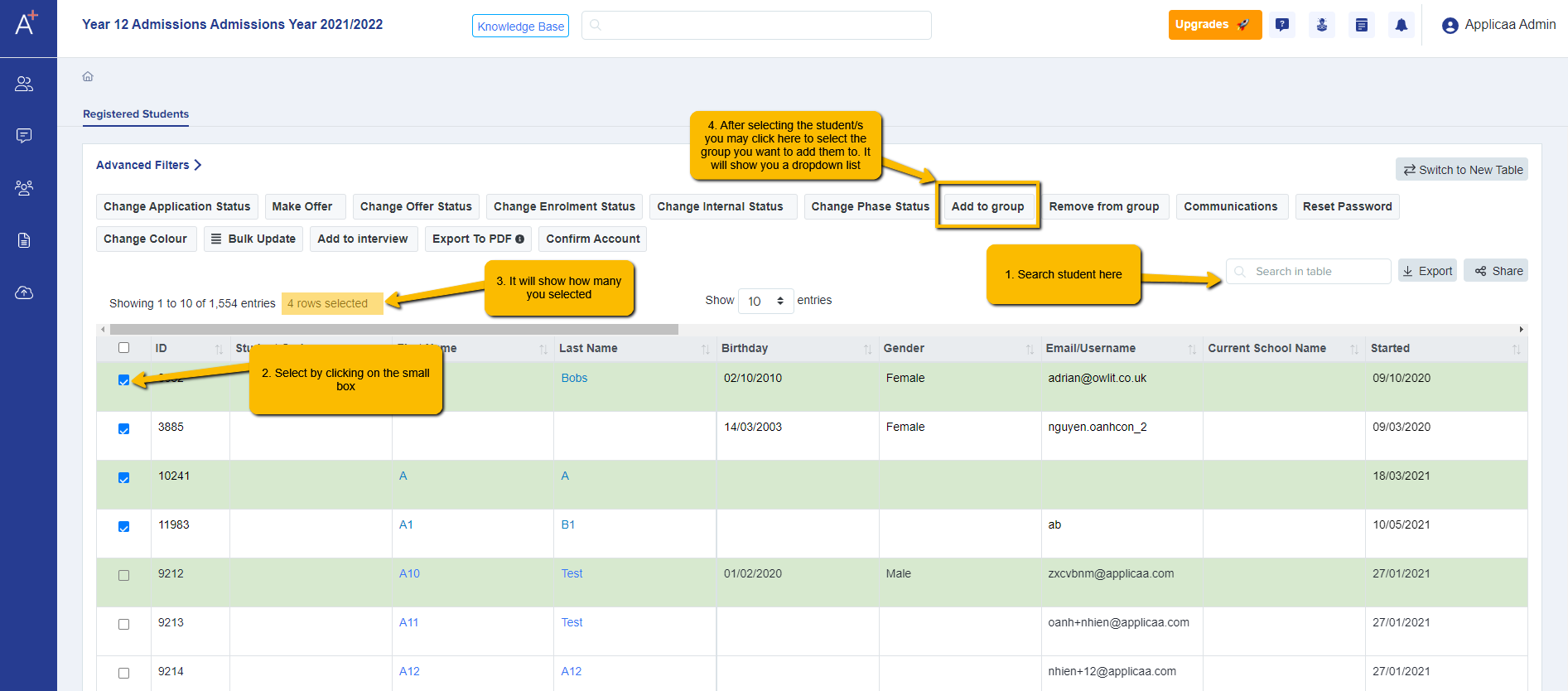
It will show you the list of application groups available so just click on the name of the group in the dropdown.

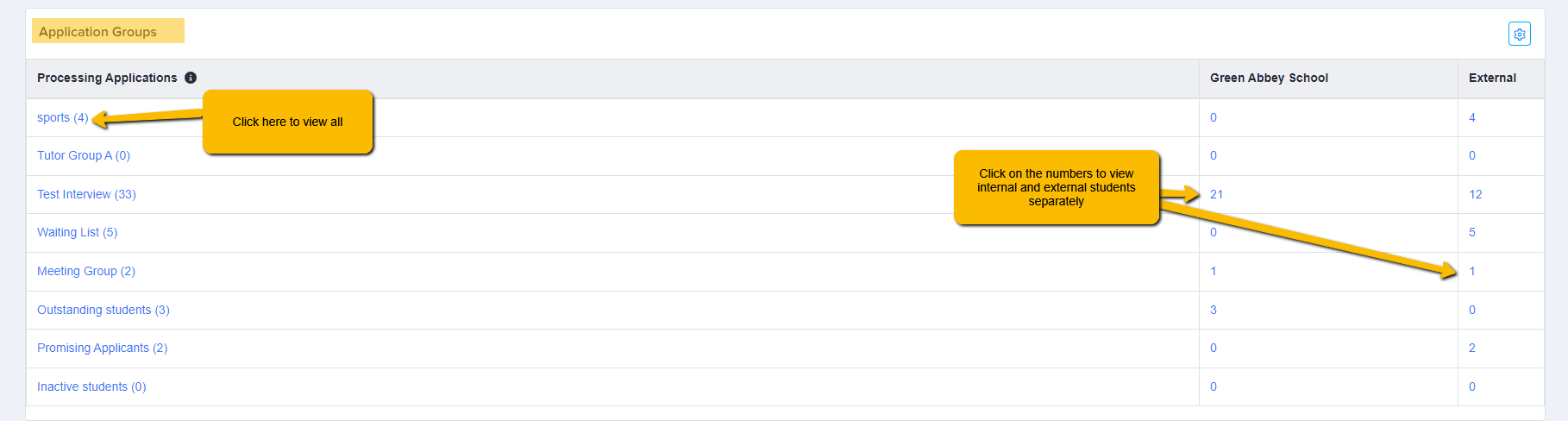
To check, you can go to Dashboard and scroll down to the 'Application Group' section.
Click on the group title to view all or the number on the right if you'd like to view them specifically as (internal or internal students).
You can also remove a student from a group by selecting the student then click on
'Remove from Group' and select from the dropdown the group you'd like the student to be removed from

Was this article helpful?